What is Manifest?
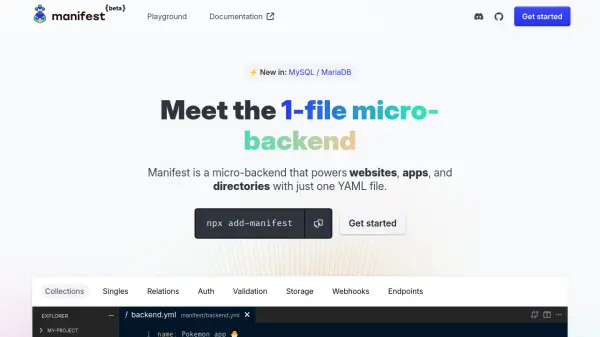
Manifest offers a streamlined solution for developers needing a fast and simple backend setup by enabling the creation and management of backends via a single YAML configuration file. It provides essential features such as a built-in persistent database, instant CRUD APIs, an intuitive admin panel, and file storage without unnecessary complexity. Manifest is self-hosted and integrates seamlessly with any frontend technology, supporting both static and server-side rendering workflows.
Designed for ease of use, Manifest empowers developers to focus on frontend development while expediting backend deployment. The admin panel is user-friendly, designed for non-technical users, and its open-source, lightweight approach ensures flexibility and data privacy. Developers benefit from source control, familiar dev tools, and effortless customization within existing codebases.
Features
- Single YAML Configuration: Define and manage your backend with only one YAML file.
- Integrated Database: Persistent data storage with built-in database support.
- Admin Panel: Ready-to-use dashboard for easy data administration.
- REST API & CRUD: Instant API endpoints and OpenAPI (Swagger) documentation.
- File Storage: Native file handling, including image resizing and optimization.
- Authentication: Built-in user authentication features.
- Validation: Data validation via JSON Schema.
- Self-hosted & Open Source: Maintain data privacy and deploy anywhere.
- Frontend Agnostic Integration: Works with any frontend or mobile stack via SDK or REST API.
- Lightweight & Portable: Easily added to existing codebases and ideal for AI builders or cloud editors.
Use Cases
- Setting up a backend for new web or mobile applications quickly.
- Building prototypes, MVPs, or personal projects requiring a persistent backend.
- Managing site data, users, and files for small-to-medium websites or directories.
- Integrating a backend into static site generators (SSG) or server-side rendering (SSR) workflows.
- Providing non-technical users with an accessible admin panel for data management.
- Rapid deployment of internal tools and dashboards without complex infrastructure.
FAQs
-
Is Manifest a low-code or no-code tool?
No, it is not. Manifest is designed as a code-first solution that integrates directly into your codebase using a YAML configuration file. -
Can Manifest be used in production environments?
Manifest is currently in BETA and suitable for powering small projects, prototypes, and MVPs, but it is not recommended for critical production platforms. -
How does Manifest store data?
Manifest uses a built-in persistent database for data storage, supporting SQLite and, in future updates, additional databases like Postgres and MySQL.