Mailtimer favicon

Mailtimer
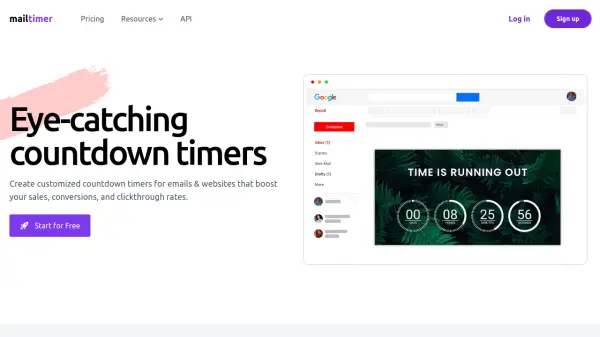
Eye-catching countdown timers for emails & websites that boost sales and conversions

What is Mailtimer?

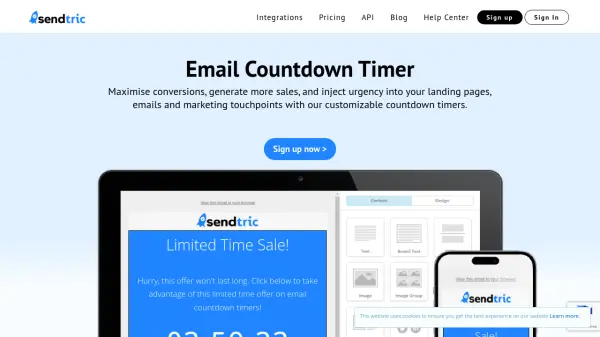
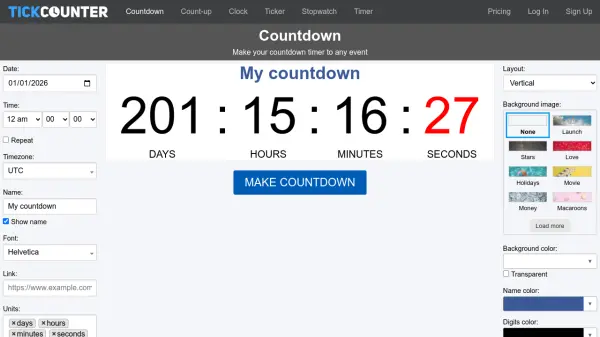
Mailtimer generates real-time GIF countdown timers that can be embedded in emails and websites to create urgency and boost conversions. The platform offers multiple timer types including standard and evergreen timers, with options to start the countdown when emails are opened, sent, or dynamically for individual customers.

Users can customize colors, fonts, and styles to match their brand without requiring design skills. The timers are optimized for fast loading across all devices and support multiple languages. Real-time analytics allow tracking of email campaigns, and timers can be edited on-the-fly even after being sent.

Features

  • Real-time GIF Generation: Creates countdown timers as GIF files generated by servers in real-time
  • Multiple Timer Types: Supports standard and evergreen timers with dynamic start options
  • Extensive Customization: Offers 60+ settings for colors, fonts, styles, and backgrounds
  • No-Code Implementation: Requires no design skills with pre-made templates and easy copy-paste integration
  • Real-time Analytics: Tracks email campaigns and allows on-the-fly timer edits

Use Cases

  • Creating urgency in email marketing campaigns to boost conversions
  • Adding countdown timers to websites for limited-time offers
  • Implementing evergreen timers for ongoing promotions
  • Tracking email campaign performance with real-time analytics
  • Customizing timers to match brand identity across marketing materials

Related Tools:

Blogs:

  • Top 6 AI note-taking tools for 2026: in-person, online, and hybrid use cases

    Top 6 AI note-taking tools for 2026: in-person, online, and hybrid use cases

    Most AI note-taking lists are really lists of meeting bots, which join your video call and transcribe it. That's useful, but it's half the picture. Decisions happen in hallway conversations, client dinners, on-site visits, and hybrid rooms where nobody is on a video link. This guide covers different parts of the note-taking workflow: hardware capture for in-person settings, platform-native tools for online calls, and AI layers for organizing and synthesizing what you've captured. It compares six tools by capture context, workflow fit, pricing, and limitations.

  • Best Content Automation AI tools

    Best Content Automation AI tools

    Streamline your content creation process, enhance productivity, and elevate the quality of your output effortlessly. Harness the power of cutting-edge automation technology for unparalleled results

  • AI tools for video voice overs

    AI tools for video voice overs

    Discover the next level of video production with AI-powered voiceover tools. Enhance your content effortlessly, ensuring professional-quality narration for your videos.

Didn't find tool you were looking for?

Be as detailed as possible for better results