What is Mailborder?
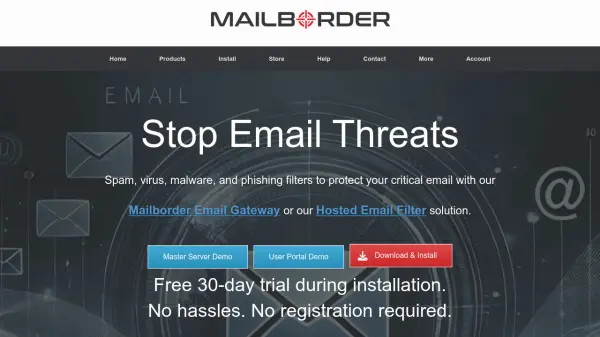
Mailborder offers robust email security solutions designed to protect organizational email systems from various threats. The platform provides both self-hosted email gateway software and hosted email filter services, enabling users to choose the deployment method that best fits their technical capabilities and infrastructure requirements.
These solutions perform thorough threat analysis on all incoming emails, scanning for viruses, phishing attempts, malware, ransomware, and other security risks. The system includes customizable spam filtering, geographical blocking capabilities, white/black listing options, email archiving functionality, and spoof protection mechanisms to prevent unauthorized email impersonation.
Features
- Spam Filtering: Customizable filtering based on industry-leading spam engines
- Virus Detection: Support for up to three virus scanners with zero-day signature updates
- Geographical Blocks: Block email based on country or continent of remote servers
- White/Black Listing: Global, group, and user level listing for addresses, domains, and networks
- Email Archiving: Archive every email passing through Mailborder servers
- Spoof Protection: Prevent outsiders from masquerading as internal users
Use Cases
- Protecting organizational email systems from spam and phishing attacks
- Securing email communications against viruses and malware
- Implementing geographical email restrictions for compliance
- Archiving organizational email for record-keeping purposes
- Preventing email spoofing and unauthorized impersonation
FAQs
-
What types of email threats does Mailborder protect against?
Mailborder protects against spam, viruses, malware, ransomware, phishing attempts, and other security threats through comprehensive email scanning and analysis. -
What email servers and services are compatible with Mailborder?
Mailborder is compatible with Microsoft Exchange, Office 365, iRedMail, Zimbra, Kerio, Zentyal, and most other email servers and hosted email services. -
What is the difference between Mailborder's Email Gateway and Hosted Email Filter?
The Email Gateway is a self-hosted Linux server solution that provides full control over email flow, while the Hosted Email Filter is a SaaS solution managed by Mailborder that offers the same protection without server management overhead. -
What deployment options are available for Mailborder's Email Gateway?
The Email Gateway can be deployed on compatible Linux OS, virtualization platforms like VMware or Xen, and cloud providers including AWS, Digital Ocean, and Linode. -
What are the primary requirements for using Mailborder?
Users need to own their domain, have access to DNS records for email routing, and not use consumer email services like Hotmail or Yahoo for organizational email.