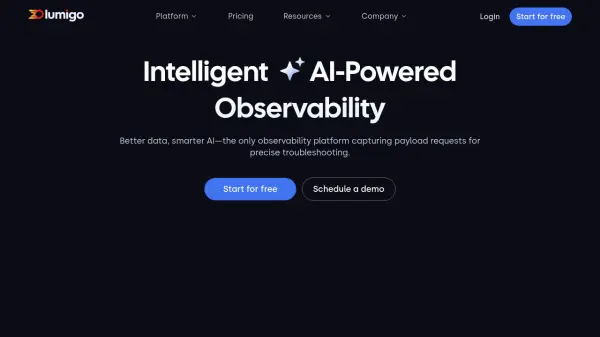
What is Lumigo?
Lumigo provides an intelligent observability platform designed to streamline troubleshooting for complex microservice environments. By leveraging AI, it automatically identifies and analyzes issues, significantly reducing the time required for manual debugging and log analysis. The platform offers comprehensive visibility across cloud infrastructure, including AWS, Kubernetes, and OpenTelemetry environments, enabling users to monitor applications from microservices to serverless functions without overlooking any part of the system. This approach aims to improve operational efficiency and reduce mean time to resolution (MTTR).
The system enhances observability by correlating request and response payloads with traces, logs, and metrics, offering deep context for faster issue resolution. It features instant tracing deployment without code changes, cost-effective log management through a custom data ingestion pipeline, and real-time monitoring with custom metrics. AI-driven alerts provide immediate visibility into problems as they arise, allowing for prompt detection and response before users are impacted. Integrations with tools like Kubernetes, Lambda, EKS, ECS, MongoDB, and Slack ensure compatibility within existing workflows.
The system enhances observability by correlating request and response payloads with traces, logs, and metrics, offering deep context for faster issue resolution. It features instant tracing deployment without code changes, cost-effective log management through a custom data ingestion pipeline, and real-time monitoring with custom metrics. AI-driven alerts provide immediate visibility into problems as they arise, allowing for prompt detection and response before users are impacted. Integrations with tools like Kubernetes, Lambda, EKS, ECS, MongoDB, and Slack ensure compatibility within existing workflows.
Features
- Lumigo Copilot: Leverages AI to identify the root cause of complex issues in seconds.
- Distributed Tracing: Deploy intelligent end-to-end tracing without code changes for AWS, Kubernetes, and OpenTelemetry.
- AI-Powered Root Cause Analysis: Automatically identify and analyze issues with AI.
- Log Management: Centralize logs and enrich them with trace and payload data for context.
- Metrics Monitoring: Deploy real-time monitoring, custom metrics, and insights.
- Full-Stack Visibility: Monitor all layers of your application, from microservices to serverless functions.
- AI Alerts: Get instant visibility into issues as they occur.
- Payload Correlation: Correlates request and response payloads with traces, logs, and metrics.
Use Cases
- Troubleshooting complex microservice issues rapidly.
- Monitoring performance bottlenecks across multi-service environments.
- Analyzing and debugging serverless function performance.
- Gaining visibility into Kubernetes clusters and containerized applications.
- Reducing logging costs while maintaining critical insights.
- Monitoring event-driven architectures.
- Debugging database performance and query execution.
FAQs
-
Do I need to provide payment details in order to begin my free trial?
No. All you need to do is set up an account and instrument your code to get started. -
Which features can I access during my free trial?
You get to use all of Lumigo’s features during your free trial period with limited traces, logs and metrics ingestion. We think it’s important that you get to experience all of the benefits of adding Lumigo to your dev toolkit. -
What happens at the end of my free trial?
At the end of your free trial you will be automatically moved to our free tier plan. You’ll still get access to all of the platform’s features, although you will be limited to 150,000 traces per month and 5GB of logs and additional 5GB of metrics with three day retention periods. You can upgrade to any of our paid plans whenever you’re ready. -
What if I exceed my trace or ingestion limits?
We’ll notify you in advance if you’re approaching your limits. If you wish to change your plan before your billing cycle has ended, we’d be happy to accommodate you. Just get in touch with our customer support team to have a chat about your options.