Lumiere3D favicon

Lumiere3D
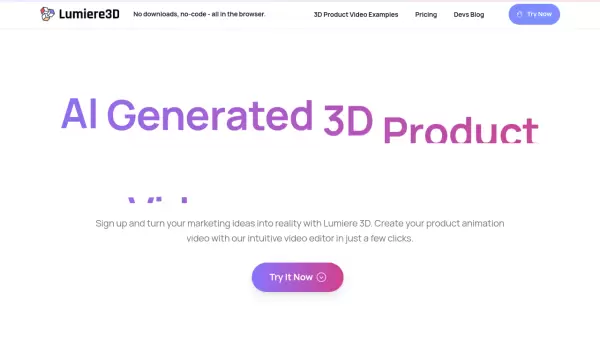
AI-Generated 3D Product Videos in Minutes

What is Lumiere3D?

Lumiere3D revolutionizes product marketing through an innovative web-based platform that combines AI-powered 3D scanning technology with advanced video editing capabilities. The platform enables users to create professional-grade product animations and cinematic videos directly in their browser.

Through its intuitive interface, users can generate dynamic camera movements, seamless transitions, and personalized effects while working with photorealistic 3D models. The platform incorporates AI operators for enhanced video editing, smart scanning technology for precise 3D model creation, and customizable 3D environments for creating engaging product demonstrations.

Features

  • AI Operator: Dynamic camera movements and personalized video effects
  • Smart Scanner: Advanced 3D object scanning technology
  • 3D Scenes: Customizable cinematic environments
  • Browser-Based Editor: No-code video editing interface
  • High-Quality Rendering: Up to 1440p resolution output
  • Cloud Storage: Up to 100GB storage capacity

Use Cases

  • Cosmetics product showcases
  • Accessories marketing
  • Footwear demonstrations
  • Electronics product presentations
  • E-commerce product visualization
  • Brand marketing campaigns

FAQs

  • What is the maximum video resolution available?
    The maximum video resolution is 1440p, available with the Pro plan.
  • Do I need to install any software to use Lumiere3D?
    No, Lumiere3D is entirely browser-based and requires no downloads or installation.
  • How many videos can I download per day?
    Download limits vary by plan: Free plan allows 3 downloads/day, Starter plan allows 10 downloads/day, and Pro plan offers unlimited downloads.

Helpful for people in the following professions

Related Tools:

Blogs:

  • Best AI tools for Product Photography

    Best AI tools for Product Photography

    Explore top AI tools that can elevate your product photography, helping you enhance images, streamline workflows, and create professional visuals with ease.

  • Top 6 AI note-taking tools for 2026: in-person, online, and hybrid use cases

    Top 6 AI note-taking tools for 2026: in-person, online, and hybrid use cases

    Most AI note-taking lists are really lists of meeting bots, which join your video call and transcribe it. That's useful, but it's half the picture. Decisions happen in hallway conversations, client dinners, on-site visits, and hybrid rooms where nobody is on a video link. This guide covers different parts of the note-taking workflow: hardware capture for in-person settings, platform-native tools for online calls, and AI layers for organizing and synthesizing what you've captured. It compares six tools by capture context, workflow fit, pricing, and limitations.

  • AI Testimonial Videos: How to Build Social Proof That Actually Converts

    AI Testimonial Videos: How to Build Social Proof That Actually Converts

    AI testimonial videos are transforming marketing in 2026 by helping businesses create professional customer-style videos quickly and affordably. Using real customer reviews, short scripts, and AI tools like Pollo AI, brands can produce engaging testimonials for social media, landing pages, and ads while saving time and improving conversions.

Didn't find tool you were looking for?

Be as detailed as possible for better results