What is Live.js?
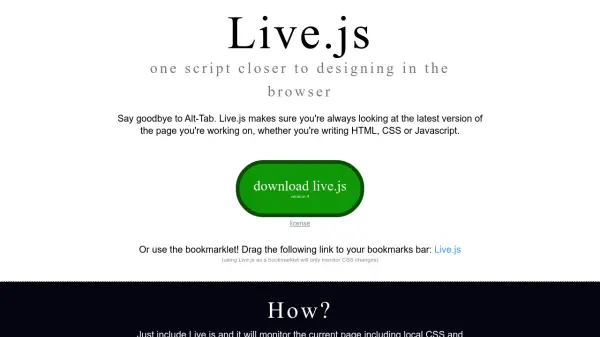
Live.js is a lightweight JavaScript library designed to enhance web development workflow by providing automatic browser refresh functionality. It monitors changes to HTML, CSS, and JavaScript files in real-time, applying updates dynamically without requiring manual intervention. This tool integrates seamlessly into existing development environments, supporting various browsers and backend technologies.
The tool operates by sending consecutive HEAD requests to the server to detect file modifications. When changes are identified, CSS updates are applied immediately, while HTML or JavaScript modifications trigger a full page reload. This approach ensures developers always view the most current version of their work, streamlining the design and debugging process.
Features
- Automatic Refresh: Monitors HTML, CSS, and JavaScript files for changes and applies updates automatically
- Cross-Browser Compatibility: Works in Firefox, Chrome, Safari, Opera, and IE6+
- Framework Independence: Compatible with Ruby, Python, Django, .NET, Java, PHP, Drupal, Joomla, and other backend technologies
- Bookmarklet Option: Can be used as a bookmarklet for CSS-only monitoring without script installation
- Dynamic CSS Updates: Applies CSS changes immediately without page reload
Use Cases
- Web development workflow optimization
- Real-time CSS editing and preview
- Rapid HTML prototyping and testing
- JavaScript debugging with automatic reload
- Cross-browser compatibility testing
FAQs
-
How does Live.js detect file changes?
Live.js sends consecutive HEAD requests to the server to monitor for modifications in HTML, CSS, and JavaScript files. -
Can Live.js be used without installing the script?
Yes, Live.js can be used as a bookmarklet that only monitors CSS changes when dragged to the bookmarks bar. -
What types of file changes trigger different actions in Live.js?
CSS changes are applied dynamically without reloading the page, while HTML or JavaScript changes trigger a full page reload. -
Which browsers are supported by Live.js?
Live.js works in Firefox, Chrome, Safari, Opera, and IE6+ until proven otherwise. -
Is Live.js dependent on specific backend frameworks?
No, Live.js is independent of development frameworks and works with Ruby, Python, Django, .NET, Java, PHP, Drupal, Joomla, and other technologies.