What is Limeblock?
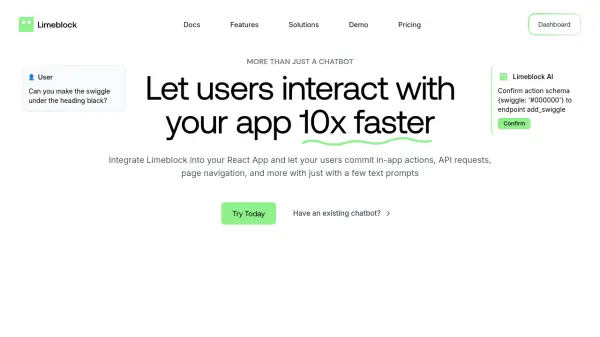
Limeblock integrates an intelligent chatbot widget directly into React applications, designed to significantly enhance user interaction speed and efficiency. It enables end-users to execute various in-app actions, make API requests, and navigate through the application simply by typing commands into the chat interface. This approach aims to streamline the user experience, making complex functionalities more accessible, particularly for new users.
The tool features a straightforward setup process, requiring only three lines of code for integration. Limeblock's AI scans the application's pages and connected API endpoints to identify the appropriate actions corresponding to user prompts. To ensure safety and prevent errors, it incorporates confirmation steps before executing actions and includes guardrails against potentially risky operations. By simplifying interactions and potentially reducing the need for basic support requests, Limeblock helps improve user activation and conversion rates for tech companies and SaaS platforms.
Features
- Commit In-App Actions: Enables users to perform actions within the app via text prompts.
- API Endpoint Integration: Connects with backend API endpoints and their defined schemas for action execution.
- Page Navigation Handling: Allows users to navigate different pages of the application using chat commands.
- Easy Integration: Requires only 3 lines of code to set up the widget in a React app.
- AI Insights & Analytics: Provides activity analysis on widget usage to understand customer behavior.
- Error Handling & Guardrails: Includes confirmation buttons and safeguards against risky or undoable actions.
- Rapid Response Times: Delivers quick responses, typically under 30 seconds.
Use Cases
- Enhancing User Experience (UX) in SaaS applications.
- Simplifying user onboarding for new application users.
- Reducing customer support workload for simple requests.
- Increasing user activation and conversion rates.
- Allowing users to quickly perform complex tasks via chat.
- Streamlining interactions within tech company applications.
FAQs
-
How long does it take to set up Limeblock?
Setting up the Limeblock widget takes approximately 5 minutes using just 3 lines of code. -
How does Limeblock handle potentially risky actions?
Limeblock includes confirmation buttons for user actions and employs guardrails to avoid taking risky or undoable actions. -
What kind of analytics does Limeblock provide?
Limeblock offers AI insights by analyzing activity on the widget, providing information on how customers use the product. -
Is there a money-back guarantee?
Yes, Limeblock offers a 30-day money-back guarantee on its paid plans.