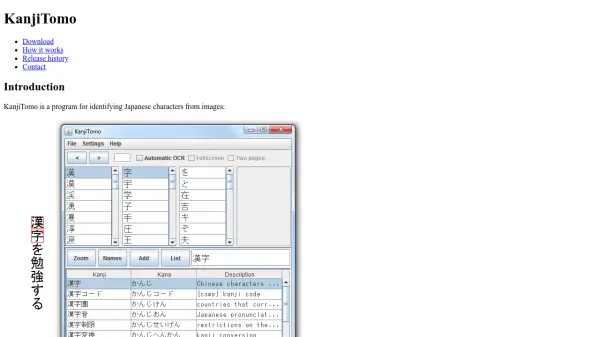
What is KanjiTomo?
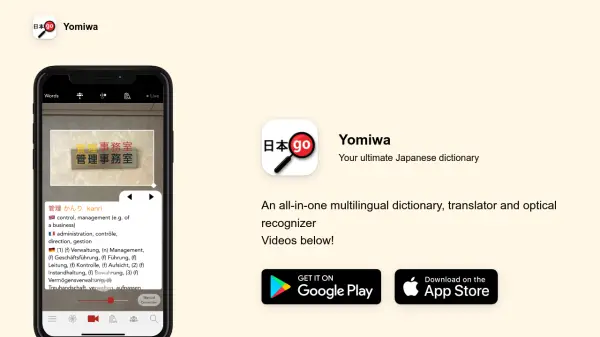
KanjiTomo is a powerful tool for identifying Japanese characters from images. It allows users to perform kanji lookup simply by pointing the mouse at any image on the screen, whether from a file, program, or web page. Dictionary lookup occurs simultaneously, making it efficient for language learners and professionals. The program supports both horizontal and vertical text orientations.
KanjiTomo requires Java and has been tested on Windows 10. Japanese fonts must be installed for proper functionality. The OCR code is also available as a Java library on GitHub for developers.
Features
- Mouse Point Selection: Point to any on-screen image to identify characters instantly.
- Simultaneous Dictionary Lookup: View dictionary definitions at the same time as character identification.
- Text Orientation Support: Works with both horizontal and vertical Japanese text.
- OCR Java Library: Available on GitHub for integration into other applications.
Use Cases
- Reading Japanese text from images, PDFs, or web pages.
- Learning kanji while reading digital content.
- Translating Japanese signs, menus, or documents from photos.
- Assisting in Japanese language research.
FAQs
-
What are the system requirements for KanjiTomo?
KanjiTomo requires Java and has been tested on Windows 10. Other operating systems may work but are not supported. Japanese fonts must be installed. -
Does KanjiTomo support Chinese characters?
Yes, since version 0.9.11, KanjiTomo also supports Chinese language. -
How can I download KanjiTomo?
The latest version can be downloaded from MediaFire via the link on the official website. Unzip the package and run KanjiTomo.jar or launch.bat.