What is Juno?
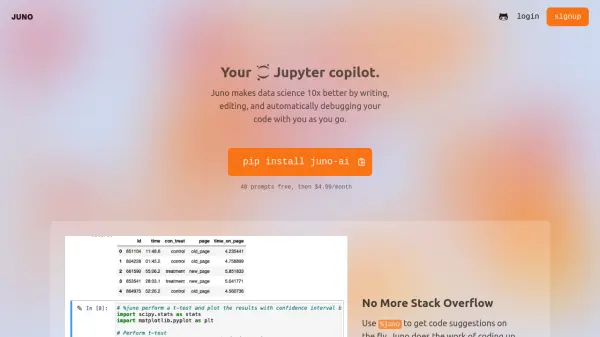
Juno serves as an intelligent coding companion for data scientists, seamlessly integrating with Jupyter notebooks to enhance productivity and streamline workflow. The tool provides real-time code suggestions through simple %juno commands, enabling users to generate everything from complex PCA analysis to creative visualizations.
Operating with a strong focus on privacy, Juno processes only metadata about datasets without exposing raw data or PII. The platform offers both cloud-based services and on-premises deployment options for handling sensitive data, making it suitable for various security requirements in data science environments.
Features
- Code Suggestions: Real-time code generation using %juno commands
- Auto-Debug: Instant solutions for code errors and debugging assistance
- Edit Button: AI-powered code refinement and optimization
- Privacy Protection: Metadata-only processing with no exposure of raw data
- On-Premises Option: Self-hosted deployment for sensitive data handling
Use Cases
- Performing PCA analysis in Jupyter notebooks
- Debugging data science code
- Optimizing existing code implementations
- Generating data visualizations
- Handling sensitive data analysis projects
FAQs
-
How does Juno protect data privacy?
Juno only processes metadata about datasets and never exposes raw data rows or PII. For extremely sensitive data, users can opt for on-premises deployment. -
How many free prompts are available before requiring a subscription?
Users get 40 prompts free before requiring a subscription at $4.99/month. -
How do I install Juno?
Juno can be installed using pip by running the command: pip install juno-ai