What is Invoke?
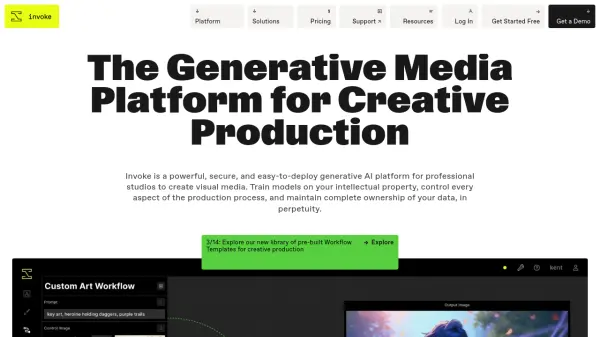
Invoke provides a comprehensive generative AI platform designed specifically for professional studios. It combines powerful AI image generation technology with a secure and intuitive interface, allowing users to maintain a high level of creative control. The platform enables refinement, iteration, and storage of images and production workflows, all within a single, centralized location.
It distinguishes itself through verified security and compliance, infinite control with advanced features, and full ownership of assets and models. The platform supports custom model training, workflow creation, and secure, scalable deployment for enterprise environments. It prioritizes intellectual property protection and offers flexible tools for precise image refinement.
Features
- Control Layers: Create and refine images from text prompts, image prompts, or sketches, with fine-tuned control over every element.
- Workflow Builder: Set up workflows to incorporate visual brand guidelines, ensure image consistency, apply effects, auto-crop, or batch edit images.
- Custom model upload: Choose from Invoke's standard models or upload your own from anywhere, including Hugging Face integration.
- Base Model Finetuning: Develop a custom base model fine-tuned to your organization’s brand and intellectual property.
- Specialized Model Creation: Develop efficient, specialized models (e.g., LoRA) for specific image generation use cases.
- Base Model Upgrades: Build and store model training data for easy updates when new base models are released.
Use Cases
- Concept Visualization from 3D Blocking
- Turn 3D Renders into Key Art
- IP-Appropriate Assets
- Sketch to Rendered Visualization
- Custom Models
- Regional Prompting
FAQs
-
Is Invoke cloud-based?
Invoke offers both a cloud-based product (Invoke Indie, Premier, and Enterprise) as well as an open-source product (Community Edition) that can be installed locally with compatible hardware. -
What foundational base models does Invoke use?
Invoke uses several foundational base models, including SDXL, Stable Diffusion 1.5, and Flux.1. Customers can also upload their own models or we can assist enterprise customers in creating their own models using their IP. -
Can I use my own models with Invoke?
Yes, Invoke allows users to integrate and use their own models. Models intended to copy the likeness of individuals or the style of living artists without their consent are prohibited. -
Can I use the images I created in Invoke for commercial use?
All images created with Invoke are 100% owned by you. Invoke will never publish or display images that you create without explicitly asking for permission to do so. -
Does Invoke share my generated images with other users or train models based on the images I generate?
No, we do not share your generated images with other users nor do we use them to train other models. Your creations remain exclusively yours.