What is InvoCom?
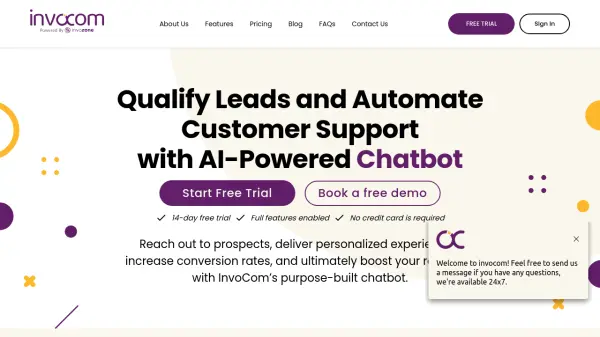
InvoCom provides an AI-driven chatbot solution focused on enhancing customer interactions and streamlining business processes. This tool helps businesses engage website visitors, deliver personalized experiences, and improve conversion rates, ultimately contributing to increased revenue.
Leveraging Artificial Intelligence and Natural Language Processing (NLP), the chatbot handles customer inquiries, manages FAQs, facilitates live chats, and captures leads. It incorporates sentiment analysis to understand user emotions during conversations. Additionally, the platform offers analytics for monitoring customer engagement and chatbot performance, supporting data-driven decision-making. Integration with websites is designed to be straightforward, pushing data to CRM and marketing automation platforms.
Features
- AI Intent-Base Chat Flows: Conducts smart bot conversations, handles FAQs, Live Chats, gathers leads, and entertains inquiries.
- Smart ChatBot Analytics: Automatically assigns conversations and tickets to agents, manages customer-centric activities.
- Real-Time Performance Analytics: Provides quantitative analysis of performance with exportable reports (CSV).
- Swift Integration: Easy embedding of the chat widget onto websites with data push capabilities to CRM and other platforms.
- NLP Support: Utilizes AI and Natural Language Processing, including sentiment analysis to detect human emotions.
- Automated Customer Support: Offers 24/7 availability and quick turnaround times.
- Lead Generation Engine: Helps boost sales and instantly qualify leads.
- Ticketing System: Manages customer support requests efficiently.
- Live Chat: Enables real-time conversation with customers.
Use Cases
- Automating customer support responses.
- Qualifying website leads automatically.
- Increasing customer engagement on websites.
- Handling frequently asked questions (FAQs) instantly.
- Providing 24/7 customer service availability.
- Gathering insights into customer behavior through analytics.
- Integrating chat support with CRM and marketing tools.
FAQs
-
How to integrate the InvoCom chatbot into your website?
You can integrate the chatbot in less than 30 seconds by copy-pasting the provided snippet code onto your website. -
How to enable desktop notifications for InvoCom?
Sign in to your account, navigate to 'settings' from the left-hand panel, choose 'notifications', and adjust the settings as needed. -
What capabilities does the AI chatbot have?
InvoCom's chatbot can conduct smart conversations, handle FAQs, manage Live Chats, gather leads, entertain inquiries, and utilize NLP with sentiment analysis. -
Can InvoCom integrate with other platforms?
Yes, InvoCom's data harnessing technology can push data to CRM, marketing automation, and other internal platforms.