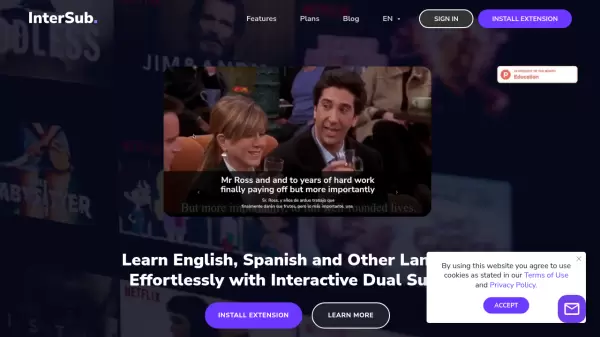
What is InterSub?
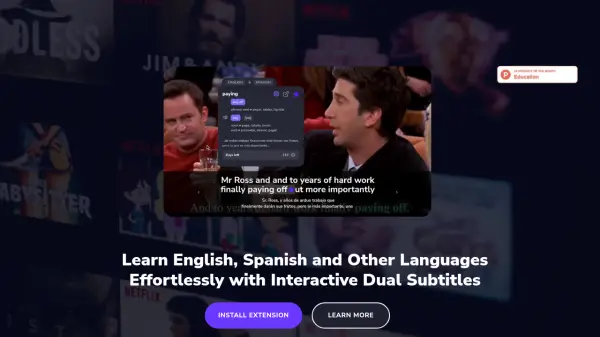
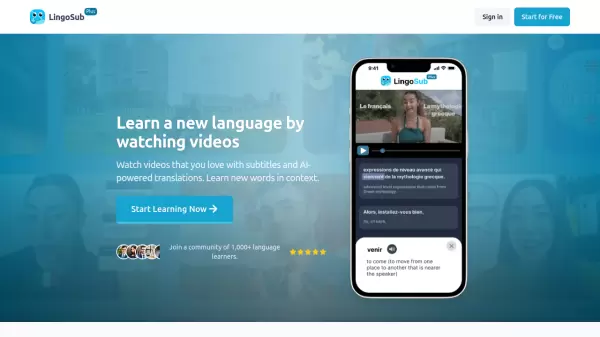
InterSub is an innovative language learning browser extension that transforms regular video watching into an effective learning experience. The tool seamlessly integrates with major streaming platforms and educational websites, providing real-time dual subtitles and AI-powered translations.
The extension works across multiple platforms including YouTube, Netflix, Prime Video, Crunchyroll, TED, Coursera, Udemy, and LinkedIn Learning. With advanced AI capabilities, InterSub recognizes English phrasal verbs, idioms, and compound nouns, while automatically saving translated words to a personal vocabulary list for future review.
Features
- Dual Subtitles: Side-by-side display of native and target language subtitles
- Instant Translations: AI-powered hover translations with context
- Personal Wordbook: Automatic saving of translated words for review
- Multi-Platform Support: Works across major streaming and educational platforms
- Collocation Detection: AI recognition of phrasal verbs, idioms, and compound nouns
- Mobile Integration: Sync capability with mobile apps and Telegram bots
- Remote Control: Phone-based word lookup for big screen viewing
- Custom Subtitle Display: Show subtitles only during pause
Use Cases
- Language learning while watching entertainment content
- Educational video comprehension
- Vocabulary building through streaming content
- Self-paced language study
- Cross-platform learning on streaming services
- Mobile-based vocabulary review
FAQs
-
Which browsers are compatible with InterSub?
InterSub is compatible with major browsers including Google Chrome, Microsoft Edge, and Firefox. -
Is InterSub suitable for beginners?
Yes, InterSub is designed for learners at all levels, including beginners. The dual subtitle feature and instant translations make it easier for newcomers to understand content in their target language. -
Can I use InterSub offline?
InterSub requires an internet connection to function properly, as it provides real-time translations and subtitle synchronization.