img-cut favicon

img-cut
Local browser-based AI background removal solution

What is img-cut?

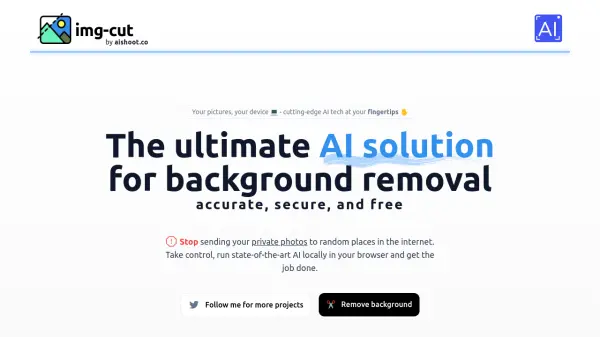
img-cut is a cutting-edge AI-powered background removal tool that operates entirely within your web browser. Unlike traditional online image editing services, it processes images locally on your device, eliminating the need to upload sensitive photos to external servers.

The tool combines state-of-the-art AI technology with privacy-focused design, offering users a secure way to remove backgrounds from their images. Its browser-based operation ensures quick processing while maintaining complete control over your personal photos.

Features

  • Local Processing: Runs entirely in browser without external uploads
  • Privacy Focus: Complete data security for sensitive images
  • Real-time Processing: Instant background removal results
  • Browser Compatibility: Works across major web browsers

Use Cases

  • Product photography editing
  • Profile picture creation
  • E-commerce image preparation
  • Social media content creation
  • Personal photo editing

FAQs

  • How does img-cut protect my privacy?
    img-cut processes all images locally in your browser, meaning your photos never leave your device or get uploaded to external servers.
  • Do I need to install any software to use img-cut?
    No, img-cut runs directly in your web browser without requiring any software installation.
  • Does img-cut work offline?
    Once the webpage is loaded, the tool can function without an internet connection as it runs locally in your browser.


Related Queries

Helpful for people in the following professions

Related Tools:

Blogs:

  • Best AI tools for recruiters

    Best AI tools for recruiters

    These tools use advanced algorithms and machine learning to automate tasks such as resume screening, candidate matching, and predictive analytics. By analyzing vast amounts of data quickly and efficiently, AI tools help recruiters make data-driven decisions, save time, and identify the best candidates for open positions.

  • Top 6 AI note-taking tools for 2026: in-person, online, and hybrid use cases

    Top 6 AI note-taking tools for 2026: in-person, online, and hybrid use cases

    Most AI note-taking lists are really lists of meeting bots, which join your video call and transcribe it. That's useful, but it's half the picture. Decisions happen in hallway conversations, client dinners, on-site visits, and hybrid rooms where nobody is on a video link. This guide covers different parts of the note-taking workflow: hardware capture for in-person settings, platform-native tools for online calls, and AI layers for organizing and synthesizing what you've captured. It compares six tools by capture context, workflow fit, pricing, and limitations.

  • Top AI tools for Teachers

    Top AI tools for Teachers

    Explore the top AI tools designed for teachers, revolutionizing the education landscape. These innovative tools leverage artificial intelligence to enhance teaching efficiency, personalize learning experiences, automate administrative tasks, and provide valuable insights, empowering educators to create engaging and effective educational environments.

  • Boost Engagement in Ads with AI

    Boost Engagement in Ads with AI

    Discover how AI music and AI SDR agents are reshaping modern advertising. Learn how emotional resonance through AI-generated soundtracks combined with smart, automated sales outreach can turn viewers into loyal customers faster, cheaper, and more personally than ever before.

Didn't find tool you were looking for?

Be as detailed as possible for better results