What is Hypetrigger?
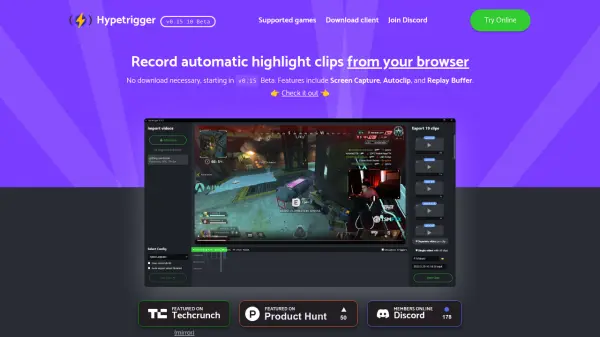
Hypetrigger is a tool designed for gamers to automatically capture highlight clips from their gameplay. It leverages GPU-accelerated computer vision technology to identify key moments in supported games. Users can utilize Hypetrigger either through a web browser interface, which includes features like Screen Capture, Autoclip, and Replay Buffer, or by downloading a dedicated client for Windows and Linux.
The software aims to provide a fast and efficient way to create gaming highlights without manual recording or editing. It supports a variety of popular games, enabling players to easily collect exciting moments for sharing or creating montages.
Features
- Automatic Highlight Clipping: Uses computer vision to detect and record key moments.
- Browser-Based Option: Allows recording directly via the browser (Beta).
- Screen Capture: Captures gameplay footage.
- Replay Buffer: Buffers gameplay for retroactive clipping.
- GPU Acceleration: Ensures fast and efficient processing.
- Downloadable Client: Available for Windows and Linux.
Use Cases
- Automatically generating highlight reels for gamers.
- Capturing key moments in gameplay without manual intervention.
- Creating content for social media or video platforms like Twitch and YouTube.
- Simplifying the process of collecting clips for gaming montages.