Guse favicon

Guse
A simple spreadsheet to automate any workflow with AI

What is Guse?

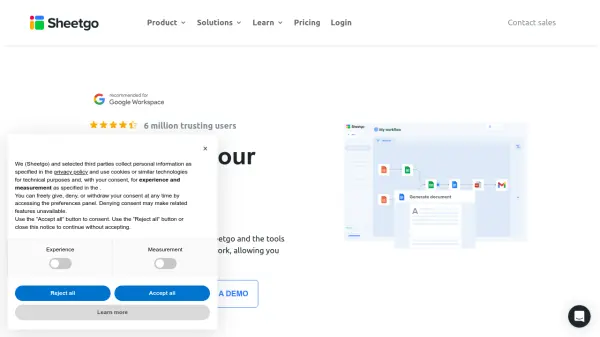
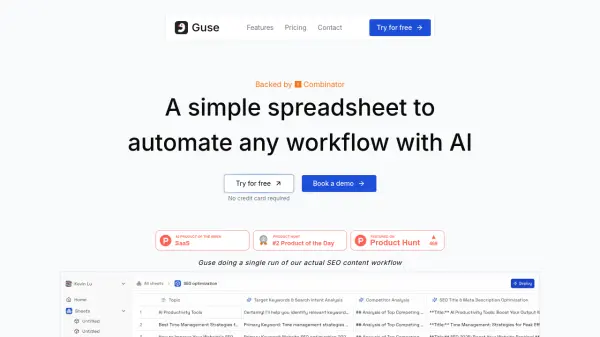
Guse offers a spreadsheet interface where users can automate various workflows with the integration of Artificial Intelligence. The platform functions by allowing users to create columns that represent either raw data or specific actions.

Workflows are constructed by referencing these columns, linking data inputs to AI-driven actions or integrations with other tools. Users can execute workflows on a cell-by-cell or row-by-row basis. Once created, these workflows can be deployed as accessible applications for others to use. Guse supports integration with numerous popular platforms like Salesforce, Zendesk, Notion, Asana, Slack, HubSpot, Gmail, Google Drive, and more, facilitating streamlined processes across different software environments.

Features

  • Spreadsheet Interface: Build and manage workflows in a familiar spreadsheet format.
  • Column-Based Workflow Building: Define workflows by creating columns for data and actions and referencing them.
  • Selective Execution: Run workflows for individual cells or entire rows.
  • App Deployment: Turn completed workflows into shareable applications.
  • Extensive Integrations: Connect with tools like Salesforce, Zendesk, Notion, Asana, Jira, ClickUp, Trello, Slack, HubSpot, Gmail, Google Drive, Linear.
  • AI Automation: Leverages AI to automate tasks within workflows.

Use Cases

  • Automating SEO content creation processes.
  • Streamlining sales operations by integrating CRM data.
  • Managing project tasks across different platforms like Asana or Jira.
  • Automating customer support ticket handling via Zendesk.
  • Simplifying data transfer and manipulation between tools like Google Drive and Notion.
  • Automating team communication workflows via Slack or Gmail integrations.

Related Tools:

Blogs:

  • Best text to speech AI tools

    Best text to speech AI tools

    Text-to-speech (TTS) AI tools are designed to convert written or text-based content into natural-sounding spoken audio. These tools utilize various deep learning and neural network architectures to generate human-like speech from textual input.

  • Top 6 AI note-taking tools for 2026: in-person, online, and hybrid use cases

    Top 6 AI note-taking tools for 2026: in-person, online, and hybrid use cases

    Most AI note-taking lists are really lists of meeting bots, which join your video call and transcribe it. That's useful, but it's half the picture. Decisions happen in hallway conversations, client dinners, on-site visits, and hybrid rooms where nobody is on a video link. This guide covers different parts of the note-taking workflow: hardware capture for in-person settings, platform-native tools for online calls, and AI layers for organizing and synthesizing what you've captured. It compares six tools by capture context, workflow fit, pricing, and limitations.

  • Best AI Tools For Startups

    Best AI Tools For Startups

    we've compiled a straightforward list of user-friendly AI tools designed to give startups a boost. Discover practical solutions to streamline everyday tasks, enhance productivity, and gain valuable insights without the need for a tech expert. Learn where and how these tools can be applied in your startup journey, from automating repetitive tasks to unlocking powerful data analysis. Join us as we explore the features that make these AI tools accessible and beneficial for startups in various industries. Elevate your business with technology that works for you!

Didn't find tool you were looking for?

Be as detailed as possible for better results