What is Git?
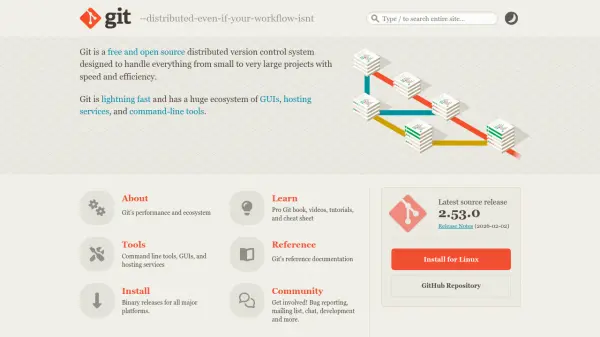
Git is a free and open-source distributed version control system engineered to manage projects ranging from small to very large with exceptional speed and efficiency. It operates as a lightning-fast platform that supports a comprehensive ecosystem, including graphical user interfaces (GUIs), hosting services, and command-line tools, making it versatile for various development workflows.
The system provides extensive resources such as the Pro Git book available online for free, video tutorials, cheat sheets, and detailed reference documentation. It offers binary releases for all major platforms, encouraging community involvement through bug reporting, mailing lists, chat, and development contributions, with support from the Software Freedom Conservancy.
Features
- Distributed Version Control: Handles everything from small to very large projects with speed and efficiency
- Ecosystem: Includes GUIs, hosting services, and command-line tools for versatile use
- Free Resources: Offers Pro Git book, videos, tutorials, and cheat sheet for learning
- Cross-Platform: Provides binary releases for all major platforms
- Community Support: Encourages involvement through bug reporting, mailing list, chat, and development
Use Cases
- Managing source code for software development projects
- Collaborating on team-based coding initiatives
- Tracking changes and versions in large-scale projects
- Learning version control through free educational materials
- Integrating with hosting services for repository management