What is Giselle?
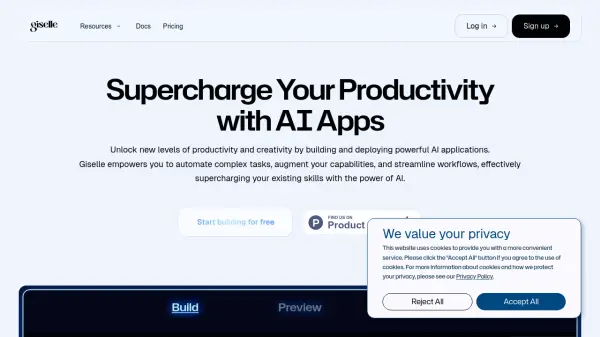
Giselle is an intuitive, no-code AI application builder designed to empower users to create and deploy powerful AI applications without needing to write code. It facilitates connection with various leading AI models, including those from OpenAI, Anthropic, and Google Gemini. Users can integrate their own data sources, such as PDFs, images, and text files, designing custom workflows through a user-friendly visual node-based editor. The platform aims to help users automate complex tasks, augment their existing capabilities, and significantly streamline their operational workflows.
Beyond individual application building, Giselle supports collaborative environments through features like live documentation that updates alongside project evolution. It enables AI agents to work in concert to tackle complex problems and automate development processes. Giselle also emphasizes connectivity, allowing seamless integration of workflows with external tools vital for business operations, including GitHub, Slack, Google Workspace, and Zapier. While currently offering robust features, Giselle plans to introduce pre-built agent templates and advanced developer tools to further enhance automation possibilities and customization for development, marketing, and business activities.
Features
- No-Code AI App Builder: Create powerful AI applications visually without writing code.
- Visual Node-Based Editor: Design complex AI automations intuitively.
- Multi-AI Model Support: Connect with models like OpenAI, Anthropic, and Google Gemini.
- Custom Data Integration: Utilize your own data from PDFs, images, and text sources.
- Workflow Automation: Automate complex tasks, research, report generation, and creative processes.
- Third-Party Integrations: Connect workflows with GitHub, Slack, Google Workspace, Zapier, etc.
- Team Collaboration Features: Facilitate shared knowledge and collaborative AI development.
Use Cases
- Automating complex tasks and workflows.
- Building custom AI applications without coding expertise.
- Generating reports and conducting deep research.
- Automating creative tasks.
- Streamlining development workflows via GitHub integration.
- Enhancing team collaboration on AI projects.
- Integrating AI capabilities into existing business processes.
- Deploying AI agents for specific functions like code review or documentation.
FAQs
-
What are the differences between pricing plans?
The Free plan is for solo developers exploring AI agents, offering basic AI model access and a single user seat. The Pro plan suits team development, providing more AI usage credits, access to premium models, and allows adding team members ($20/month/user). -
How is AI model usage billed across plans?
The Free plan includes a limited amount of AI usage per month ($3 worth, currently 30 mins during promotion). The Pro plan includes $20 of AI usage credits per month (currently unlimited during promotion), with pay-as-you-go for additional usage charged at reasonable rates plus a 10% fee. -
What happens when changing plans?
Upgrading from Free to Pro applies the new benefits immediately, discarding unused Free credits. Downgrades take effect at the end of the current billing cycle. -
Do unused AI credits roll over?
No, AI model usage credits are allocated monthly and do not carry over. -
Is there a limit to team size?
The Free plan is limited to 1 user. The Pro plan allows adding unlimited team members by purchasing additional seats ($20/month/user).