What is gettally.io?
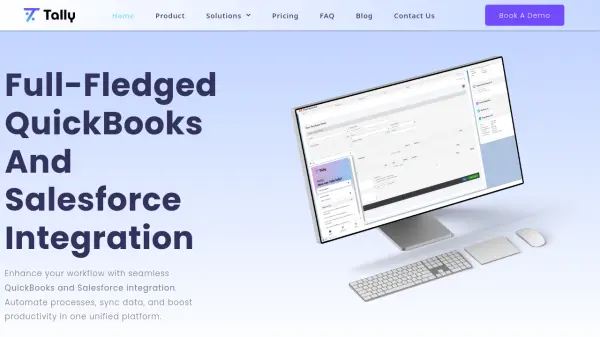
Tally is an AI-powered integration platform designed to unify QuickBooks and Salesforce, streamlining business operations through automation and data synchronization. It enables users to send invoices directly from Salesforce using the same intuitive interface as QuickBooks, eliminating the need to switch between platforms and reducing the learning curve. The platform supports recurring invoicing with customizable billing frequencies and term lengths, as well as payment processing for credit cards and ACH payments without leaving Salesforce.
Additionally, Tally facilitates the automation of invoices, estimates, sales receipts, purchase orders, payments, and refunds, enhancing efficiency and accuracy. It works with all Salesforce editions and requires QuickBooks Online for cloud-based integration, offering features like class tracking and estimates generation. The platform includes 24/7 support, free updates, and training resources, making it a comprehensive solution for businesses seeking to optimize their financial and CRM workflows.
Features
- QuickBooks and Salesforce Integration: Seamlessly connects QuickBooks and Salesforce for unified workflow management.
- Invoice Automation: Enables sending invoices directly from Salesforce with the same UI as QuickBooks.
- Recurring Invoicing: Allows customization of billing frequency and term length for recurring billing sequences.
- Payment Processing: Accepts credit card and ACH payments within Salesforce without switching platforms.
- Estimates Generation: Manually generate estimates from Salesforce that reflect as approved when customer-approved.
- Data Synchronization: Automates syncing of invoices, estimates, sales receipts, purchase orders, payments, and refunds.
- Class Tracking: Supports Salesforce and QuickBooks class tracking for organized financial management.
- 24/7 Support: Provides round-the-clock support with quick response times for high-priority queries.
Use Cases
- Automating invoice generation and sending from Salesforce to QuickBooks.
- Processing credit card and ACH payments directly within Salesforce.
- Setting up recurring billing with customizable terms for subscription services.
- Generating and managing estimates that sync between Salesforce and QuickBooks.
- Synchronizing financial data like sales receipts and purchase orders between platforms.
- Streamlining business workflows by eliminating the need to switch between QuickBooks and Salesforce.
- Enhancing productivity through automated data migration and class tracking.
- Improving accuracy in financial reporting with seamless integration.
FAQs
-
What is the installation process like?
Once signed up, the installation team is promptly notified to reach out. The SLA for completing installations is 2 business days, often within a day. -
What Salesforce editions does Tally work on?
Tally works on all Salesforce editions, including Professional, Enterprise, and Unlimited Edition. -
What editions of QuickBooks does Tally work on?
Tally requires QuickBooks Online (Cloud Edition). QuickBooks Desktop users should contact a sales representative for more information. -
Are there any overage fees?
No, there are no overage fees. -
What is the onboarding/activation cost?
For Tally – Basic Edition, there is an upfront installation cost of $1,000. Installations for Tally – Growth and Tally Scale are free.