
What is FlowOS?
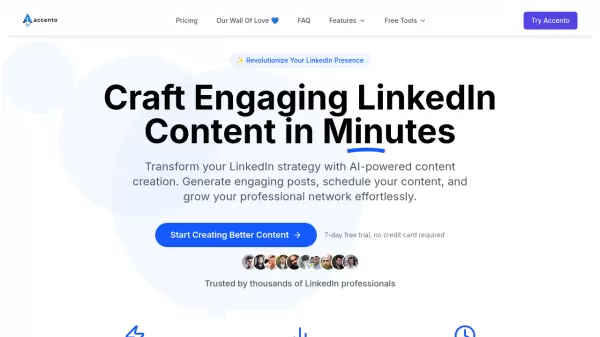
FlowOS is designed for professionals who want to maintain consistent LinkedIn presence without the time investment of manual content creation. The platform captures ideas from various sources including Chrome browsing, WhatsApp messages, and web applications, then processes them through an AI system that learns individual writing patterns.
The core technology, Voice DNA, analyzes past posts to understand personal phrasing, rhythm, and examples, ensuring generated content maintains authentic voice. Users can save articles, send voice notes, or input rough thoughts, which FlowOS transforms into polished posts aligned with specific goals like inspiration, education, or storytelling. The platform includes content planning tools, performance analytics, and scheduling capabilities for streamlined social media management.
Features
- Voice DNA Technology: Learns and replicates individual writing styles from past content
- Multi-Source Capture: Saves ideas from Chrome, WhatsApp, and web applications
- Guided Creation: Provides prompts, angles, and hooks for content development
- Content Calendar: Plans and organizes posts for weeks or months ahead
- Idea Multiplier: Transforms single notes into multiple post variations
- Performance Analytics: Tracks post performance and optimal posting times
- Reusable Templates: Offers frameworks for hooks, calls-to-action, and content structures
- Auto-Summarization: Automatically summarizes saved content in personal repository
Use Cases
- Consistent LinkedIn content creation for professionals
- Transforming daily reading and consumption into social media posts
- Developing personal brand authority through regular posting
- Batch content creation for monthly social media planning
- Overcoming writer's block for business professionals
- Maintaining authentic voice while using AI assistance
- Streamlining content workflow for consultants and founders
FAQs
-
How does FlowOS ensure content sounds authentic?
FlowOS uses Voice DNA technology that learns your exact writing style - including your phrases, rhythm, and examples - from your past posts, making generated content sound like you wrote it. -
Can I use FlowOS if I'm not a skilled writer?
Yes, FlowOS is specifically designed for experts who have knowledge but struggle with consistent posting. You can share expertise through voice notes or rough thoughts, and the platform transforms them into polished posts. -
How is FlowOS different from general AI tools like ChatGPT?
While ChatGPT is generic, FlowOS is personalized - it captures your daily consumption, learns your specific voice patterns, and builds your personal content repository as a complete system rather than just a chat interface. -
Is there a limit to how many posts I can create?
No, all plans offer unlimited post creation. You can post daily, build content banks, or batch-create for entire months without restrictions. -
What happens to the content I save in FlowOS?
All your content remains yours - it's encrypted and private. You can delete anything at any time. FlowOS stores it, but you maintain ownership.