What is FlashedRouter?
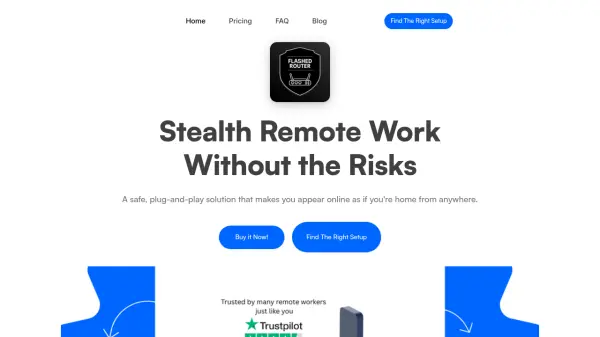
FlashedRouter provides a secure hardware solution for remote work by creating a direct tunnel to your home network. This allows users to access the internet with their actual home IP address from any location worldwide. The system operates at the network level, requiring no software installation on individual devices, making it compatible with laptops, phones, and tablets without raising suspicion from employers or clients.
The solution includes built-in protection features such as a kill switch that prevents IP leaks if the connection drops. Users can choose between two main setups: a full home tunnel solution that provides direct access to home devices and IP, or a client-only option using private cloud servers. Both options offer zero-configuration operation and work seamlessly with corporate VPNs and public Wi-Fi networks.
Features
- Plug & Play Simplicity: Works out of the box with zero configuration and no software installation required
- Built-in Kill Switch Protection: Automatically disconnects if the tunnel drops to prevent IP leaks
- True Home IP Access: Makes the internet think you're at home for work, banking, and region-locked tools
- Hardware-Based Solution: Physical router devices that work at network level with any operating system
- Stealth VPN Technology: Avoids detection by employers by blending in like regular home connections
Use Cases
- Remote workers needing to appear as if working from home while traveling
- Digital nomads accessing region-locked work tools and services
- Travelers wanting to stream local content from their home country
- Remote access to smart home devices and security systems
- Secure work on public Wi-Fi networks without raising suspicion
FAQs
-
What happens if my home internet connection goes down while using FlashedRouter?
If you're using your own home server, it needs to stay online for the connection to work. For peace of mind, you can use our optional VPN server setup as a fallback. -
Can I use FlashedRouter if I don't have a permanent home address?
Yes, you can either use a friend's home as your tunnel point or choose our dedicated VPN server option for a setup that works from anywhere. -
How does FlashedRouter handle dynamic IP addresses on home internet connections?
The system works even if your home IP changes. Our system automatically keeps the tunnel alive and reconnects without any input from you. -
Can I use FlashedRouter with public Wi-Fi networks while traveling?
Yes, that's one of the main use cases. Just plug the device in wherever you are—hotel, café, coworking space—and it routes everything securely back home. -
What's the difference between the Full Home Tunnel Solution and Client Only setup?
The Client Only setup connects you to our private cloud servers, letting you appear online from your home city with no setup needed. The Full Home Tunnel Solution adds a home device that creates a secure tunnel directly to your own home network, giving you your actual home IP and full access to your devices.