What is Financial Cents?
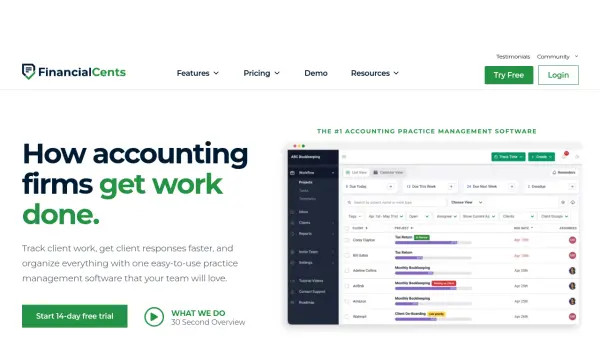
Financial Cents provides a comprehensive, cloud-based practice management solution tailored for accounting, bookkeeping, and CPA firms. It aims to replace disorganized spreadsheets and manual methods by centralizing workflows and client information. The platform facilitates tracking the status of client work, assigning tasks, and managing deadlines to prevent tasks from falling through the cracks. It offers tools for firm visibility, allowing managers to see who is working on what and ensuring projects stay on schedule.
The software includes features for automating time-consuming processes, such as client data collection through automated requests and reminders via a secure client portal that doesn't require client logins. Financial Cents also integrates email management, allowing teams to track client communication and convert emails into actionable tasks. Furthermore, it incorporates time tracking, billing, and reporting functionalities to help firms measure profitability, identify bottlenecks, and manage capacity effectively. The platform strives to be user-friendly and quick to implement, improving team collaboration and overall firm organization.
Features
- Workflow Management: Track the status of client work, assignments, and deadlines in one view.
- Client Requests & Auto Reminders: Automate client data collection with secure requests and automated follow-ups.
- Client Database (CRM): Centralize client information, communication history, documents, and notes.
- Billing & Invoicing: Automate invoicing, billing, and payment processes.
- Time Tracking: Track time spent on tasks, identify budget variances, and facilitate invoicing.
- Email Integration: Manage client communication within the platform and turn emails into tasks.
- Capacity Management: Monitor team workload and identify potential bottlenecks.
- ReCats: Streamline the management of uncategorized client transactions.
- Document Management: Store and organize client and firm documents securely.
- Client Portal: Provide clients with a secure, passwordless portal for requests and document sharing.
Use Cases
- Tracking client project status and deadlines.
- Automating the collection of documents and information from clients.
- Centralizing client communication and data for easy team access.
- Streamlining billing and invoicing processes for faster payments.
- Monitoring employee time and project budgets.
- Managing team workload and capacity planning.
- Organizing and resolving uncategorized client transactions efficiently.
- Improving internal team communication and collaboration on client work.
- Standardizing accounting workflows with templates.
- Generating reports on firm profitability and efficiency.
FAQs
-
Does the free 14-day trial provide access to all the features?
Yes, the free trial provides access to all the features Financial Cents has to offer, and you can invite your entire firm to use the solution. -
How does Financial Cents prevent work from falling through the cracks?
It makes it easy to track the status of client work, see who’s working on what, and know where everything stands in one simple view. It also has built-in reminders and notifications to keep your team on top of client work and deadlines. -
How does Financial Cents help automate client data collection?
The system allows you to send clients automated requests for data needed to complete work. It will also follow up with them automatically until they complete the request. -
What reports are available in Financial Cents?
Several reports are available, including capacity management, effective hourly rate measurement, and time tracking reports, designed to identify bottlenecks, drive efficiencies, and boost profitability. -
Can time tracking be integrated with QuickBooks Online for Invoicing?
Yes, time tracking integrates with QuickBooks Online, automatically pushing tracked time to QBO for easier client invoicing and payroll management.