What is fffuel?
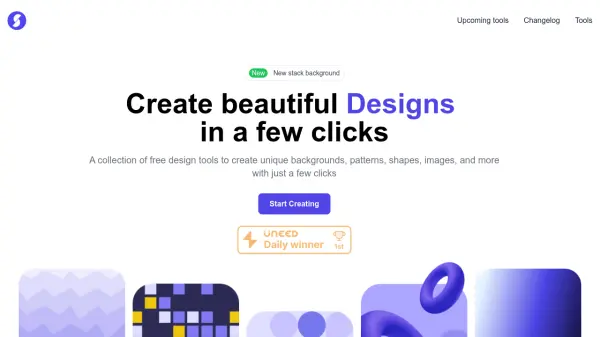
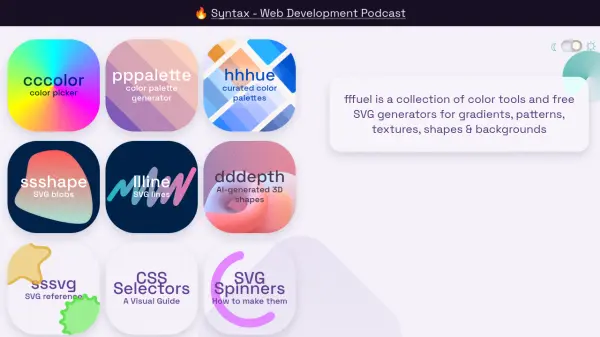
fffuel provides a comprehensive suite of free design resources, primarily focusing on SVG generation and color management tools. Users can leverage a wide array of generators to create unique Scalable Vector Graphics, including backgrounds, seamless patterns, gradients, textures, various shapes, and abstract blobs. The platform emphasizes customization, allowing generated graphics to be tailored to fit seamlessly within specific design projects.
Utilizing SVGs offers advantages such as infinite scalability without quality loss, the ability to edit via markup, and often smaller file sizes compared to raster formats like PNG or JPEG. To further support design workflows, fffuel includes practical utilities like an SVG to PNG converter and a Base64 encoder for embedding images directly into CSS. Complementing the SVG tools are resources for color selection, such as a color picker and palette generator, aiding designers in choosing appropriate color schemes.
Features
- Extensive SVG Generators: Create diverse vector graphics like backgrounds, patterns, textures, shapes, blobs, gradients, and more.
- AI-Generated Shapes: Includes a tool specifically for generating 3D shapes using AI (dddepth).
- Customization Options: Allows easy modification of generated SVGs to match design requirements.
- Color Tools: Features a color picker, color palette generator, and curated palettes.
- Utility Tools: Provides SVG to PNG conversion and Base64 encoding for CSS embedding.
- Variety of Styles: Offers generators for various aesthetics, including abstract, isometric, holographic, glitch, and psychedelic.
- Free Access: All tools and generators are available for free use.
Use Cases
- Creating unique website backgrounds.
- Generating seamless patterns for web or print design.
- Designing custom SVG shapes and icons.
- Creating textures and gradients for digital assets.
- Finding and managing color palettes for design projects.
- Converting SVG graphics to PNG format.
- Encoding SVGs for direct use in CSS.
- Generating abstract or stylized vector art.
FAQs
-
What is SVG?
SVG stands for Scalable Vector Graphics. They can be scaled to any size without losing visual quality, can be edited by tweaking the markup, and are often more lightweight than raster images like PNG or JPEG. -
Can I convert the generated SVGs to other formats?
Yes, fffuel provides a tool to convert generated SVGs to PNG format. -
How can I use the generated SVGs as background images in CSS?
You can use the provided Base64 encoder tool to convert the SVG into a format that can be added inline in your CSS for background images. -
Are the tools on fffuel free to use?
Yes, fffuel offers a collection of free SVG makers and color tools.