What is Evan Wallace Projects?
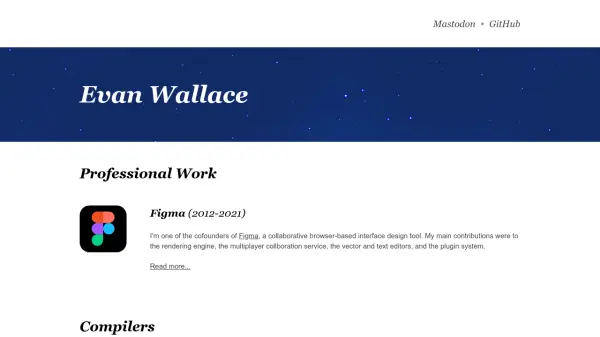
Evan Wallace's website presents a diverse portfolio of professional work, open-source projects, and experimental tools. Highlights include esbuild, a high-performance JavaScript and CSS bundler designed to dramatically improve build tool speed, and WebGL-based graphics demos like realtime water rendering and path tracing. The site also features apps like Tagception for macOS file tagging and Theta Math for GPU-powered equation graphing.
These projects span compilers, graphics, games, and utilities, many leveraging advanced algorithms and WebGL for performance. While not all are AI-focused, the collection demonstrates expertise in optimization, rendering, and developer tools.
Features
- High-Performance Bundler: esbuild offers 10-100x faster JavaScript and CSS bundling than traditional tools.
- WebGL Water Simulation: Realistic water rendering using floating-point textures and GLSL derivatives.
- WebGL Path Tracing: Realistic lighting simulation with diffuse, mirrored, and glossy surfaces.
- WebGL Image Filters: Real-time client-side photo editing with ten filters using GPU acceleration.
- Shader Articles: Collection of interesting shader code demos running in all major browsers.
- MacOS Tag Viewer: Tagception app allows nested tag hierarchies not possible in Finder.
- Source Map Visualization: High-performance tool for debugging real-world source map issues.
- GPU-Powered Equation Editor: Theta Math graphs equations with custom editor and optimized performance.
- Disk Analyzer: Diskitude explores file systems with a radial graph and only 10 KB in size.
- FSM Designer: Streamlined interface for sketching finite state machines used in CS theory.
Use Cases
- Optimizing JavaScript and CSS build processes with esbuild.
- Learning WebGL techniques through interactive water and path tracing demos.
- Editing photos in real-time with GPU-accelerated filters.
- Viewing and organizing macOS file tags with nested hierarchy.
- Visualizing source maps for debugging bundler output.
- Graphing mathematical equations on a GPU-powered coordinate grid.
- Analyzing disk usage with a radial file system explorer.
- Designing finite state machines for computer science education.
- Exploring shader programming with ready-to-run demos.
- Building peer-to-peer collaboration features using algorithm demos.
FAQs
-
Is esbuild open source?
Yes, esbuild is an open source project available on GitHub. -
Can I use the WebGL demos on my mobile device?
The WebGL demos require WebGL support and are optimized for desktop browsers, though some may work on mobile devices with WebGL support. -
Are the apps like Tagception free?
Yes, all apps listed on the site are free to use.