What is Erasio?
Erasio is an AI-powered watermark remover that enables users to erase logos, text, stamps, and other overlays from images in seconds using advanced inpainting technology. The platform automatically detects watermarks, brand marks, date stamps, and text overlays, then reconstructs the background pixels intelligently rather than simply blurring them out. Users can upload JPG, PNG, or WebP files up to 25MB directly in their browser without requiring any signup, app installation, or software downloads.
The tool offers both automatic detection and manual brush control for precise editing, making it suitable for removing various types of marks including stock photo watermarks, social media overlays, timestamps, signatures, emojis, stickers, and QR codes. Erasio processes images entirely online and works across all devices including Windows, Mac, iPhone, iPad, and Android. The platform uses a credit-based system where one credit removes one watermark from one image, with a free tier available for users to test the functionality before purchasing credit packs.
Features
- AI Inpainting Technology: Reconstructs background pixels behind watermarks instead of blurring for sharp, clean results
- Automatic Detection: AI automatically identifies logos, text, stamps, and watermarks without manual selection
- Manual Brush Control: Precision brush tool for pixel-level control over areas the AI misses
- Multi-Format Support: Works with JPG, PNG, and WebP files up to 25MB in size
- No Signup Required: Free tier available with no account creation, app install, or software download needed
- Cross-Device Compatibility: Fully browser-based tool that works on Windows, Mac, iPhone, iPad, and Android
- Multiple Mark Types: Removes logos, text, signatures, date stamps, stock photo marks, emojis, stickers, and QR codes
- Batch Processing: Process multiple images with one credit per exported image
Use Cases
- Removing stock photo watermarks from Shutterstock, iStock, and similar platforms from owned images
- Cleaning social media platform marks from TikTok, Instagram, and other content you have rights to edit
- Erasing date stamps and timestamps from camera photos and old images
- Removing outdated agency stamps and contact information from real estate listing photos
- Clearing draft overlays and sample marks from approved marketing campaign assets
- Taking off promotional text, captions, and signatures while preserving backgrounds
- Removing placeholder marks and sample overlays from design mockups and comps
- Cleaning product photos by removing supplier watermarks and outdated logos for e-commerce listings
- Stripping personal watermarks from your own photography for portfolio or print use
- Deleting emoji overlays, stickers, and QR codes from screenshots and graphics
How It Works
Upload your image
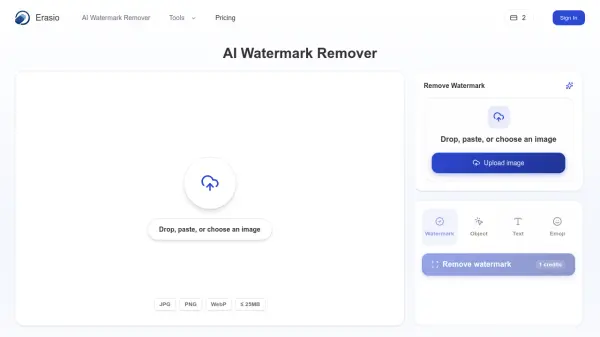
Drag and drop, paste, or click to upload a JPG, PNG, or WebP. One image or a batch.
Auto-detect or brush the mark
Erasio's AI watermark remover finds logos, text, and stamps automatically, or brush over anything it misses for pixel-level control.
Download the clean, watermark-free image
Preview the before and after, then download your photo in full resolution.
FAQs
-
How does the AI watermark remover work?
Erasio uses AI inpainting technology. After you upload an image, the watermark remover detects the marked area, then reconstructs the pixels behind it based on the surrounding content, rather than just blurring it. You can also brush over any area manually for precise control before downloading. -
What image formats and sizes are supported?
The watermark remover supports JPG, JPEG, PNG, and WebP files up to 25 MB. It runs entirely online in your browser, so it works the same on Windows, Mac, iPhone, iPad, and Android, with no app or software install required. -
Is it legal to remove a watermark?
It depends on the image. Removing a watermark from photos you own or have permission to edit is fine. Doing it to copyrighted images you don't have rights to may break copyright or the owner's terms. Only use Erasio on images you have the right to edit. -
How many credits does one image cost?
One image costs one credit. Each credit gives you one full watermark removal — upload a photo, erase the mark, and download the clean result. Batch operations count one credit per exported image. -
Do credits expire?
Credits are valid for 365 days from the date of purchase. After one year, unused credits expire. There is no extension, so buy the pack that matches how many images you expect to clean in the next year.