Easy&Light favicon

Easy&Light
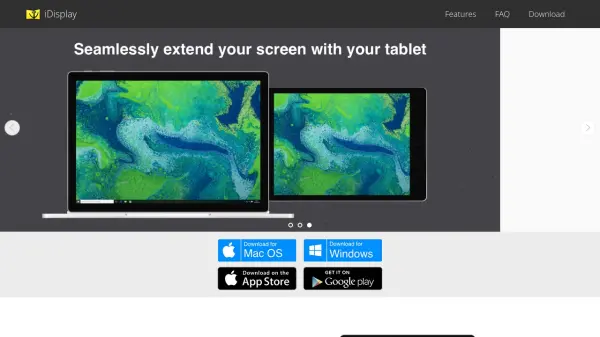
Transform your tablet into a monitor and graphics tablet

What is Easy&Light?

Easy&Light provides software applications designed to enhance tablet functionality by converting them into versatile tools for computing and creative work. Their products include Twomon SE, which enables tablets to serve as additional monitors, and EasyCanvas, which transforms tablets into graphics tablets for digital drawing and design.

These solutions support both wired and wireless connections, offering flexibility for various setups. The tools are aimed at users seeking to extend their display space or utilize tablets as input devices for professional or personal projects.

Features

  • Twomon SE: Converts tablets into additional monitors
  • EasyCanvas: Transforms tablets into graphics tablets for digital art
  • EasyCanvas2025: Enhanced version of the graphics tablet app
  • Connection Options: Supports both wired and wireless connections

Use Cases

  • Extending desktop display space with a tablet
  • Using a tablet as a graphics tablet for digital art
  • Creating a secondary monitor setup for multitasking
  • Enhancing productivity with additional screen real estate

Blogs:

  • Top AI tools for Teachers

    Top AI tools for Teachers

    Explore the top AI tools designed for teachers, revolutionizing the education landscape. These innovative tools leverage artificial intelligence to enhance teaching efficiency, personalize learning experiences, automate administrative tasks, and provide valuable insights, empowering educators to create engaging and effective educational environments.

  • Top 6 AI note-taking tools for 2026: in-person, online, and hybrid use cases

    Top 6 AI note-taking tools for 2026: in-person, online, and hybrid use cases

    Most AI note-taking lists are really lists of meeting bots, which join your video call and transcribe it. That's useful, but it's half the picture. Decisions happen in hallway conversations, client dinners, on-site visits, and hybrid rooms where nobody is on a video link. This guide covers different parts of the note-taking workflow: hardware capture for in-person settings, platform-native tools for online calls, and AI layers for organizing and synthesizing what you've captured. It compares six tools by capture context, workflow fit, pricing, and limitations.

Didn't find tool you were looking for?

Be as detailed as possible for better results