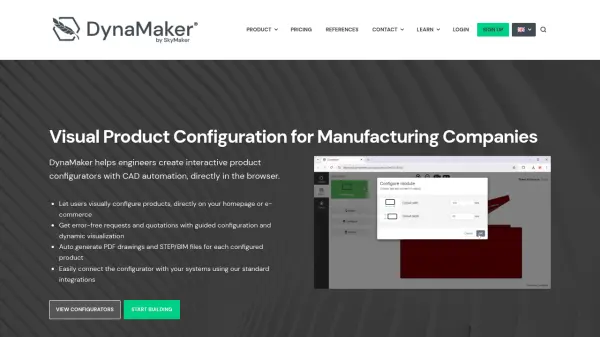
What is DynaMaker?
DynaMaker is a comprehensive software solution designed for manufacturing companies to implement visual product configuration directly in web browsers. The platform allows engineers to build parametric parts and assemblies, mixing parametric geometry with static formats like GLTF, STEP, or STL. Users can create interactive configurators with rules and flows that guide customers through product customization.
The system automatically generates CAD exports including PDF drawings, STEP/BIM files, and manufacturing instructions for CAM systems. DynaMaker integrates seamlessly with existing digital solutions such as e-commerce platforms, CPQ systems, and ERP software, providing a flexible tool for end-to-end automation in manufacturing workflows.
Features
- Parametric Modeling: Build parametric parts and assemblies with rules and constraints
- Visual Configuration: Create interactive 2D and 3D product configurators with guided workflows
- Automatic CAD Exports: Generate PDF drawings, STEP/BIM files, and manufacturing instructions automatically
- Web-Based Suite: Complete modeling and configuration tools accessible through web browsers
- System Integration: Connect with e-commerce platforms, CPQ solutions, and ERP systems
Use Cases
- Creating interactive product configurators for manufacturing companies
- Generating automatic CAD exports for sales quotations and production
- Implementing visual product customization on e-commerce websites
- Developing parametric product models for customer self-service configuration
- Automating manufacturing documentation and technical drawings
FAQs
-
How does DynaMaker handle different product configurations?
DynaMaker allows creation of parametric assemblies with rules and constraints that guide users through valid configuration options, ensuring error-free product specifications. -
What types of CAD files can DynaMaker export?
The platform exports PDF and DXF drawings for quotations, STEP and IFC files for 3D CAD/BIM software, and DXF/G-code for manufacturing instructions. -
Can DynaMaker integrate with existing business systems?
Yes, DynaMaker integrates with various digital solutions including e-commerce platforms, CPQ systems, ERP software, and cloud storage services. -
What programming knowledge is required to use DynaMaker?
The platform uses TypeScript for advanced customization, but the online modeling suite provides guided tools for building configurators without extensive programming experience. -
How does the subscription model work for multiple applications?
DynaMaker charges per application monthly, so companies needing multiple configurators would multiply the subscription fee by the number of applications required.