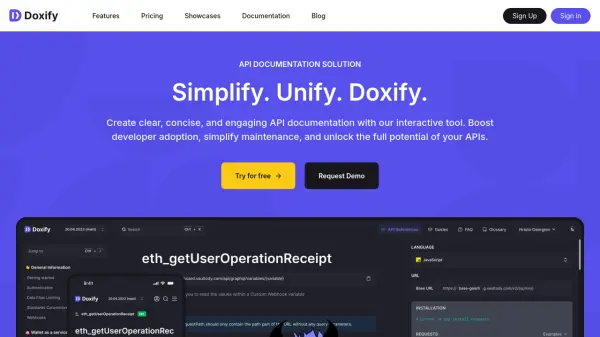
What is Doxify?
Doxify provides an interactive tool engineered to generate clear, concise, and engaging API documentation. Users can import OpenAPI 3 or JSON-RPC specifications to automatically create comprehensive API References. Its intuitive editor utilizes a drag-and-drop custom block system, allowing for the easy creation and customization of content such as user guides, knowledge bases, changelogs, blogs, and glossaries. This editor supports the integration of images, videos, code snippets, and incorporates AI-assisted content creation capabilities to enhance productivity.
The platform offers extensive customization options, enabling documentation to align perfectly with brand identity through algorithm-based color palette generation, personalized menus, custom domains, and the application of custom CSS/JS. Doxify includes advanced features like API Metrics for tracking usage patterns, adoption trends, and error rates, providing valuable data-driven insights. It also automates the Software Development Kit (SDK) generation and deployment process across various platforms like GitHub, npm, and PyPI, significantly simplifying the integration process for developers. Team management, versioning, private documentation, and a sandbox environment are also supported to optimize workflow and collaboration.
Features
- API Reference Generation: Import OpenAPI 3 or JSON-RPC files to create clear API reference documentation.
- Interactive Block Editor: Create and customize content with drag-and-drop blocks for guides, changelogs, blogs, etc.
- AI-Assisted Content Creation: Leverage AI within the editor to accelerate content generation.
- Customization: Tailor documentation appearance with custom branding, colors, menus, domains, CSS/JS.
- API Metrics: Track API adoption trends, endpoint usage, and error rates for performance optimization.
- SDK Generator and Deployer: Automate the creation and distribution of SDKs across multiple platforms (Node.js, Java, Python, etc.).
- Versioning Support: Manage multiple versions of API documentation.
- Documentation Forking: Create copies of documentation for different purposes (available in Premium plan).
- Private Documentation: Restrict access to documentation.
- Sandbox Environment: Allow users to try API calls directly within the documentation.
Use Cases
- Creating comprehensive API reference documentation.
- Building user guides and knowledge bases for software products.
- Generating and deploying SDKs automatically.
- Tracking API usage and adoption metrics.
- Maintaining product changelogs and release notes.
- Designing branded developer portals.
- Creating internal or private technical documentation.