What is dotCMS?
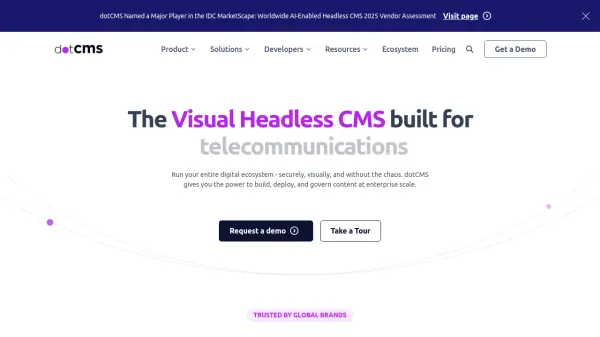
dotCMS is a robust content management system designed to support businesses in creating, managing, and scaling digital experiences with ease. By combining headless and traditional CMS features, it enables both developers and content teams to collaborate efficiently, delivering content globally on any technology stack with no compromise on flexibility or performance.
The platform provides comprehensive tools for visual content editing, workflow automation, multilingual support, A/B testing, and personalized experiences. With features like no-code content updates, flexible content modeling, API-first architecture, and strong security protocols, dotCMS is suitable for organizations seeking to future-proof their digital strategy, reduce IT dependencies, and accelerate go-to-market speed.
Features
- Flexible Content Modeling: Build custom content structures suited to diverse business needs.
- Visual Content Editing: Empower non-technical users with intuitive no-code editing tools.
- Headless and Traditional Delivery: Deliver content via APIs or the built-in front-end.
- Automated Workflows: Streamline content approval and publishing processes.
- Multilingual Support: Automatically translate and manage content for global reach.
- A/B Testing and Personalization: Optimize digital experiences with real-time feedback and targeted content.
- Scalable Architecture: Manage multiple sites and large content volumes under one solution.
- Advanced Security: Built-in security and compliance features for enterprise needs.
- Integration Ready: Seamlessly connect with existing tech stacks and third-party tools.
Use Cases
- Managing and publishing content across multiple digital platforms and websites.
- Empowering marketing teams with visual content editing and workflow management.
- Delivering personalized user experiences based on location, device, or behavior.
- Scaling content operations for multinational corporations.
- Supporting DevOps teams with automated infrastructure and secure deployments.
- Running A/B tests to optimize site layouts and content performance.
- Facilitating rapid go-to-market for new digital campaigns.
FAQs
-
What makes dotCMS suitable for enterprise-scale organizations?
dotCMS offers a scalable architecture, advanced security, and flexible content modeling that support large volumes of content and multi-site management, making it ideal for enterprises with complex digital needs. -
Can dotCMS be used as a headless CMS?
Yes, dotCMS supports headless architecture, enabling content delivery via APIs while also allowing for traditional front-end rendering. -
Is there a free version of dotCMS?
Yes, companies with less than $5 million in total finances can download and use dotCMS for free under the BSL license.