What is domian.io?
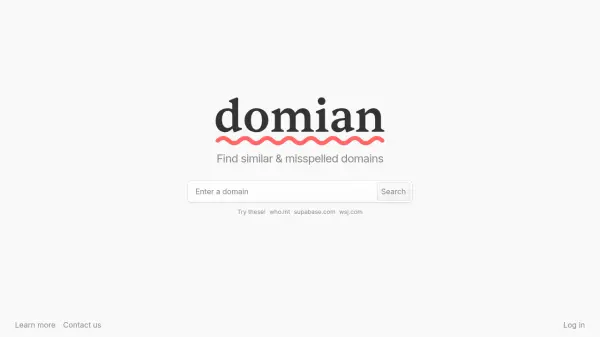
Protect your online brand identity from typosquatting, a common threat where malicious actors register misspelled variations of popular domains to phish for details, damage brand image, or install malware. domian.io offers a defense mechanism by generating customized lists of potential misspellings and variations for your primary domain. It assesses the similarity of these variations to your original domain and checks their registration availability, providing crucial insights into potential threats.
Utilizing advanced algorithms, the platform generates a comprehensive list of domain variations and ranks them based on similarity to help prioritize protection efforts. domian.io scans to determine if these misspelled domains are available for registration or already taken. For available domains, it integrates with leading registrars, streamlining the acquisition process and making it easier to secure important variations. This proactive approach helps safeguard brand reputation, ensure traffic reaches the authentic site, and prevent potential financial losses associated with domain disputes.
Features
- Tailored Generation: Produces a list of potential misspellings and variations using advanced algorithms.
- Similarity Assessment: Ranks each misspelling based on its similarity to the original domain for prioritization.
- Availability Check: Scans to determine if potential domain variations are available for registration.
- Streamlined Registration: Integrates with leading registrars for a smooth acquisition process.
- Comprehensive Coverage: Identifies subtle domain variations to uncover potential threats.
- Prioritized Protection: Helps optimize protection strategy through similarity ranking.
Use Cases
- Preventing typosquatting attacks on a brand's domain.
- Securing common misspellings of a domain name.
- Protecting brand reputation online.
- Ensuring website visitors reach the correct site.
- Identifying potential domain threats for businesses and personal brands.
- Streamlining the process of registering domain variations.
FAQs
-
Do I need any technical expertise to use domian.io?
Not at all! domian.io is crafted for everyone—whether you’re a tech aficionado or just embarking on your digital journey. -
How frequently should I inspect for fresh domain variations?
It’s prudent to conduct regular checks, given the ever-changing nature of the digital realm. Although our system is exhaustive, periodic reviews can ensure continued protection. -
What if a domain I’m interested in is already occupied?
domian.io will signal if a domain variation has been registered. While we cannot reclaim it on your behalf, being aware of its status empowers you to be on the lookout for possible risks emanating from that domain.