Design0 favicon

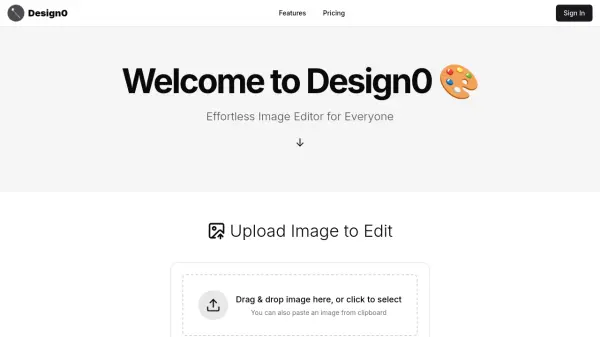
Design0
Effortless Image Editor for Everyone

What is Design0?

Design0 offers a user-friendly interface for editing images. The platform operates on a flexible pay-as-you-go credit system, making it accessible for a wide range of users. New users receive an initial 6 free credits to begin, and additional credits can be purchased. The service is designed to be simple and intuitive, allowing users to easily upload or search for images to edit.

Design0 is focused on constant innovation, with new features and improvements added regularly. Its credit-based model provides users flexibility in usage, making the tool affordable and efficient.

Features

  • Flexible pay-as-you-go credits: Pay only for what you use with the credit system.
  • Free Start: Begin your journey with 6 free credits on sign-up.
  • Bonus Credits: Get extra credits with larger purchases.
  • Image edit turbo model: Use turbo model for advanced image editing.
  • Constant Innovation: New features and improvements added regularly.

Use Cases

  • Editing images for personal use
  • Creating graphics for social media
  • Enhancing photos for professional projects
  • Quick image adjustments and modifications

FAQs

  • How does the pricing model work?
    Design0 uses a flexible pay-as-you-go credit model. You pay only for what you use, with 6 free credits for new users and $1 for 10 credits. You can get 10 bonus credits for every $5 spent.
  • What is the cost per action?
    The image edit turbo model costs 2 credits per action.

Related Queries

Helpful for people in the following professions

Blogs:

  • Best AI tools for recruiters

    Best AI tools for recruiters

    These tools use advanced algorithms and machine learning to automate tasks such as resume screening, candidate matching, and predictive analytics. By analyzing vast amounts of data quickly and efficiently, AI tools help recruiters make data-driven decisions, save time, and identify the best candidates for open positions.

  • Top 6 AI note-taking tools for 2026: in-person, online, and hybrid use cases

    Top 6 AI note-taking tools for 2026: in-person, online, and hybrid use cases

    Most AI note-taking lists are really lists of meeting bots, which join your video call and transcribe it. That's useful, but it's half the picture. Decisions happen in hallway conversations, client dinners, on-site visits, and hybrid rooms where nobody is on a video link. This guide covers different parts of the note-taking workflow: hardware capture for in-person settings, platform-native tools for online calls, and AI layers for organizing and synthesizing what you've captured. It compares six tools by capture context, workflow fit, pricing, and limitations.

  • Ghibli Art Generator AI tools

    Ghibli Art Generator AI tools

    List of the best AI tools to turn your photos into images that look like Studio Ghibli movies. Easy to use and fun for everyone.

Didn't find tool you were looking for?

Be as detailed as possible for better results