What is DeepAR?
DeepAR offers a sophisticated Software Development Kit (SDK) designed for developers aiming to integrate advanced augmented reality features into their applications. This high-performance, scalable SDK supports multiple platforms including iOS, MacOS, Android, and HTML5, enabling the creation of engaging AR experiences for a wide user base. It is engineered to power face and body-centric AR functionalities efficiently.
The platform equips developers with tools to implement a variety of AR effects such as realistic face filters, virtual try-ons for products like glasses, shoes, watches, and makeup, and real-time background manipulation including replacement and blurring. Additional capabilities include dynamic hair coloring, emotion detection from facial expressions, and body tracking. DeepAR also provides a Creator Studio for crafting custom AR assets and an Asset Store offering pre-made filters to streamline development.
Features
- Multiplatform SDK: Supports iOS, MacOS, Android, and HTML5 development.
- AR Face Filters: Enables integration of 3D face masks and effects.
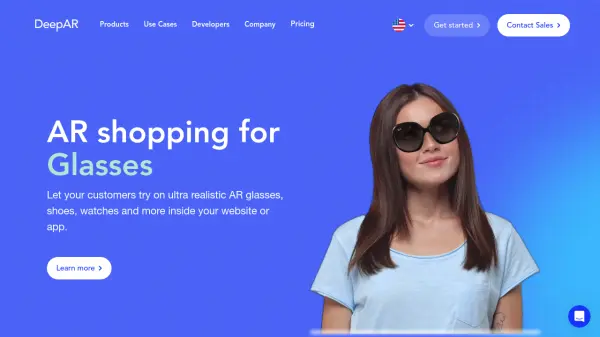
- Virtual Try-On: Offers realistic AR try-on for glasses, shoes, watches, and makeup.
- Background Replacement & Blur: Allows real-time modification of video backgrounds.
- Hair Coloring: Dynamically changes hair color in live video feeds using deep learning.
- Emotion Detection: Detects basic emotions like happiness, sadness, anger, surprise from facial expressions.
- Body Tracking: Tracks 17 key body points (waist, shoulders, elbows, arms, head).
- Creator Studio: A dedicated tool for creating AR assets.
- Asset Store: A marketplace for readymade face filters.
Use Cases
- Enhancing video chat applications with AR features.
- Creating engaging augmented reality advertising campaigns.
- Developing virtual try-on solutions for e-commerce and retail.
- Building standalone AR effect applications with filters and masks.
- Improving live video streaming with background effects and filters.
- Implementing room-scale AR experiences.
FAQs
-
What platforms does the DeepAR SDK support?
The DeepAR SDK supports iOS, MacOS, Android, and HTML5, with Windows support planned for the future. -
Can DeepAR be used for virtual try-on?
Yes, DeepAR enables realistic virtual try-on experiences for items like glasses, shoes, watches, and makeup within apps or websites. -
Does DeepAR offer tools for creating AR assets?
Yes, DeepAR provides the Creator Studio for creating AR assets and an Asset Store with readymade face filters. -
What are some key AR features offered by the DeepAR SDK?
Key features include AR face filters, virtual try-ons, background replacement/blur, hair coloring, emotion detection, and body tracking.