What is DataFeedWatch?
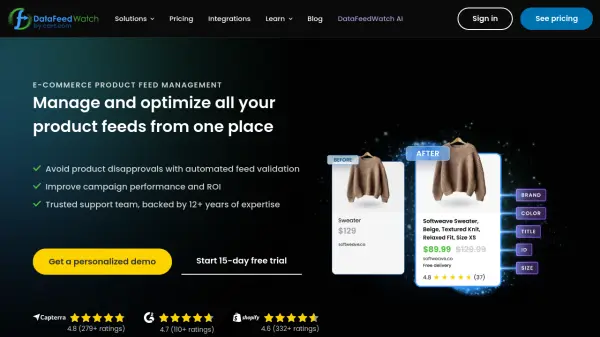
DataFeedWatch is an AI-powered product feed management platform designed specifically for e-commerce businesses. The platform enables merchants to manage and optimize product feeds across multiple shopping channels from a single interface, helping to avoid product disapprovals through automated feed validation while improving campaign performance and return on investment.
The platform offers AI-generated titles and descriptions for thousands of products in minutes, along with AI categorization that automatically assigns products to correct categories according to channel requirements. Users can create custom labels to organize shopping campaigns, run A/B tests to find optimal feed configurations, and include or exclude products based on various parameters to maximize ROI. With support for over 2000 social platforms, shopping channels, and marketplaces, DataFeedWatch provides comprehensive feed management capabilities backed by expert customer support.
Features
- AI Titles & Descriptions: Automatically generate optimized product titles and descriptions for thousands of products
- AI Categorization: Automatically assign products to correct categories according to channel taxonomy requirements
- Automated Feed Validation: Check feeds for errors before upload with detailed error reports and fixing instructions
- Custom Labels: Create custom labels to organize shopping campaigns based on seasonality, profitability, or other variables
- A/B Testing: Run tests to compare different feed configurations and find the best-performing setup
- Channel Templates: Use pre-loaded templates for different channels to ensure proper formatting and requirements
Use Cases
- Optimizing Google Shopping campaigns for better performance
- Managing product feeds across multiple social media platforms like Facebook and TikTok
- Automating product categorization according to channel requirements
- Generating AI-powered product titles and descriptions at scale
- Running A/B tests to determine optimal feed configurations
- Creating custom labels for targeted advertising campaigns
- Validating product feeds to prevent listing errors and disapprovals
FAQs
-
What channels and languages can I use DataFeedWatch AI with?
Currently AI optimization is exclusively available for Google Shopping and Facebook feeds in English, with work underway to expand to more channels and languages. -
What control do I have over the AI output?
You can decide to use AI-generated values, create your own rules, or use original source data at both channel and product levels, with preview capabilities before finalizing feed configuration. -
Do I need a developer to get set up with DataFeedWatch?
97% of users don't need developers to set up and optimize their product feeds, as the platform is designed for non-technical users. -
What benefits can I expect from using AI for product feed management?
You'll save hours of time while ensuring data is optimized according to channel best practices, with AI helping create optimized titles/descriptions, fill missing attributes, and categorize products automatically. -
Is customer support available during the free trial?
Yes, customer support is available during the free trial period to help with getting started and optimization.