What is Crun?
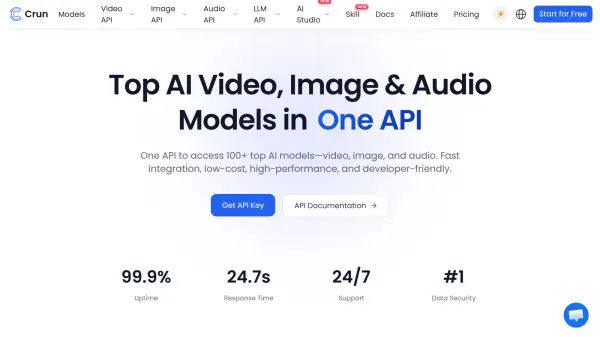
Crun is a unified AI platform that gives developers and businesses access to more than 100 video, image, audio, and language models through one API. It supports text and image generation, video creation, text-to-speech, voice conversion, music generation, and large language model tasks.
The platform is designed for fast application integration and reliable production use. It provides OpenAI-compatible access, global infrastructure, smart request routing, an interactive playground, code examples, debugging tools, usage logs, and real-time monitoring.
Features
- Unified Model Access: Connects more than 100 video, image, audio, and language models through a single API.
- Multimodal Media Generation: Supports text-to-video, image-to-video, text-to-image, image-to-image, speech, music, voice, and text generation workflows.
- OpenAI Compatibility: Provides drop-in compatibility designed to simplify migration from OpenAI-compatible applications.
- Reliable Global Infrastructure: Delivers 99.9% uptime with global infrastructure and smart routing to responsive endpoints.
- Developer Tooling: Includes an interactive playground, Python, JavaScript, and cURL examples, debugging tools, and developer documentation.
- Usage Monitoring: Provides real-time usage tracking, logs, and monitoring for integrated applications.
Use Cases
- Build applications that generate videos from text, images, or reference media.
- Create image generation, editing, repair, upscaling, and style transfer workflows.
- Add text-to-speech, voice conversion, music, or ambient sound generation to products.
- Integrate large language models into business applications and developer tools.
- Compare and use multiple AI models without maintaining separate provider integrations.
- Monitor AI request activity, usage, and logs from a unified platform.
How It Works
Create an API Key
Sign up for Crun and generate a personal API key.
Choose a Model and Send Requests
Select a video, image, audio, or language model and submit requests through the unified API.
Receive Results and Integrate
Retrieve the generated results and integrate them into a product or workflow while monitoring usage and logs in real time.
FAQs
-
Can developers monitor API activity in Crun?
Yes. Crun provides real-time usage monitoring, API logs, and built-in debugging tools. -
Can an OpenAI-compatible application migrate to Crun?
Yes. Crun describes its platform as an OpenAI-compatible drop-in replacement that can support migration with minimal code changes. -
Where can users get help with integration?
Users can consult the API documentation or contact the support team at [email protected]. The platform states that support is available 24 hours a day, seven days a week.