
What is ComponentsKit?
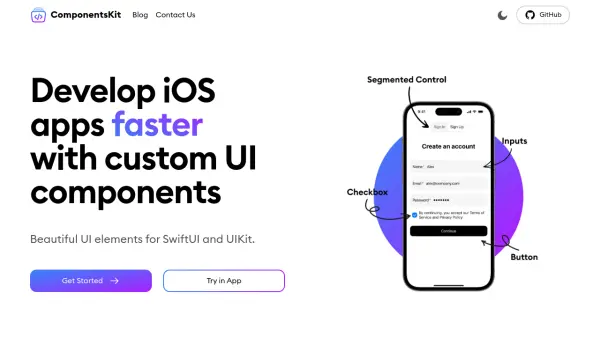
ComponentsKit offers a library of beautifully designed, animatable UI components for both SwiftUI and UIKit. These components are ready for immediate use, saving developers significant time and effort in styling basic elements. The library provides extensive customization options for individual components and overall app themes, enabling developers to create visually consistent and appealing applications.
ComponentsKit is designed for seamless integration and flexibility. It fully supports both UIKit and SwiftUI, allowing developers to choose their preferred framework. The library is easily added to an Xcode project as a package dependency, streamlining the development process.
Features
- Customizable UI Components: Pre-built UI elements for SwiftUI and UIKit.
- Framework Compatibility: Full support for both UIKit and SwiftUI.
- Theme Customization: Wide range of configuration options for component appearance and app themes.
- Easy Installation: Simple integration via package dependency in Xcode.
Use Cases
- Rapid iOS app prototyping
- Developing iOS apps with consistent UI
- Accelerating iOS development workflow
- Creating custom-themed iOS applications
FAQs
-
How to install ComponentsKit?
Add ComponentsKit to an Xcode project as a package dependency: From the File menu, select Add Package Dependencies.... Enter https://github.com/componentskit/ComponentsKit into the package repository URL text field. Add componentskit to your application.