What is Coconut?
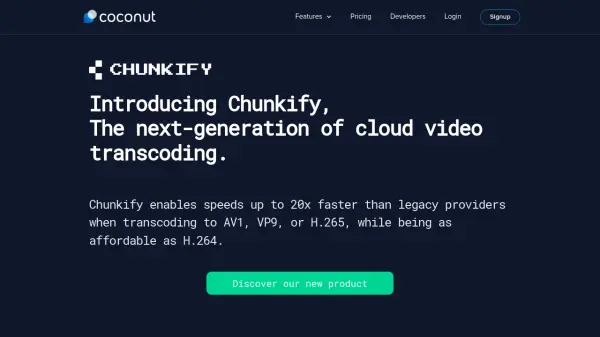
Coconut is a cloud video encoding service and API designed for speed, scalability, and cost-effectiveness. It offers ultrafast transcoding capabilities, supporting modern codecs like AV1, VP9, and H.265 with speeds up to 20x faster than traditional providers. The service includes features such as HLS & MPEG-Dash streaming, thumbnail generation, GIF & WebP animations, storage services, and DRM protection.
The platform provides a flexible, well-documented API that integrates seamlessly with any cloud storage, ensuring no vendor lock-in. With multi-region infrastructure and auto-scaling architecture, Coconut handles encoding from 1K to 1M videos daily. It supports 99% of video codecs, including input formats like MP4, AVI, MOV, MKV, and output formats like WebM, VP8, MPEG-DASH, H264, VP9, MP4, H265, and 4K.
Features
- Video Transcoding: Ultrafast transcoding up to 20x faster than legacy providers for AV1, VP9, and H.265
- HLS & MPEG-Dash: Adaptive bitrate streaming for buffer-free playback
- Thumbnails: Generate thumbnails from videos with customizable intervals
- GIF & WebP animations: Create animated GIFs and WebP files from video content
- Storage Services: 100% agnostic cloud storage integration with no vendor lock-in
- DRM: Digital Rights Management for secure video content protection
- Dashboard: Real-time monitoring of video transcoding activity with job inspection and statistics
- Smart API: Well-documented, scalable API for easy integration into applications
Use Cases
- Transcoding educational videos for online learning platforms
- Encoding streaming content for entertainment and media companies
- Processing music and video files for distribution platforms
- Creating adaptive streaming formats for live broadcasting
- Generating thumbnails and previews for video libraries
- Converting videos to multiple formats for cross-device compatibility
- Handling large-scale video encoding for social networks and creative platforms
- Securing video content with DRM for premium streaming services
FAQs
-
How does Coconut calculate pricing for video transcoding?
Coconut charges per output minute based on video quality: Audio at $0.00325, SD at $0.00750, HD at $0.01500, and UHD at $0.03000. You only pay for what you use with no hidden fees or minimum commitments. -
What is included in the free Test plan?
The free Test plan allows encoding of videos or audios up to 1 minute long with one output at a time. No credit card is required, and it includes access to all basic features for testing purposes. -
Does Coconut charge for failed transcoding jobs?
No, Coconut does not charge for failed jobs as it would be unfair to users. -
How does the billing process work with Coconut?
On the 1st of each month, your credit card is charged based on the number of output minutes transcoded in the previous month. Output minutes are calculated as the length of each output video multiplied by the number of formats. -
What payment methods does Coconut accept?
Coconut accepts Visa, Mastercard, and American Express for payments.