Cloud Contracts 365 favicon

Cloud Contracts 365
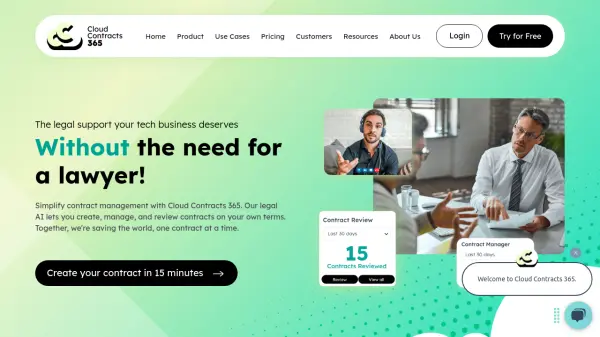
The legal support your tech business deserves

What is Cloud Contracts 365?

Cloud Contracts 365 offers a comprehensive solution for technology businesses to manage their commercial contracts effectively. It provides a suite of AI-powered tools designed to streamline the entire contract lifecycle, reducing legal risks and accelerating the sales cycle.

This platform helps protect your business, close deals faster, and realize revenue more quickly, centralizing all contract-related activities in one secure and easy-to-access place.

Features

  • Contract Builder: Create contracts quickly and easily using simple questionnaires.
  • Contract Reviewer: AI-powered contract review with clause-by-clause analysis and risk scoring.
  • Contract Manager: Centralized contract hub with e-signature capabilities and automated renewal/termination reminders.

Use Cases

  • Creating Professional Services Agreements
  • Developing Master Services Agreements
  • Formalizing agreements with Letters of Agreement
  • Protecting sensitive information with Non-Disclosure Agreements
  • Managing SaaS Agreements
  • Defining Managed Services Agreements

Related Tools:

Blogs:

  • Best AI tools for Product Photography

    Best AI tools for Product Photography

    Explore top AI tools that can elevate your product photography, helping you enhance images, streamline workflows, and create professional visuals with ease.

  • AI tools for video voice overs

    AI tools for video voice overs

    Discover the next level of video production with AI-powered voiceover tools. Enhance your content effortlessly, ensuring professional-quality narration for your videos.

  • Top 6 AI note-taking tools for 2026: in-person, online, and hybrid use cases

    Top 6 AI note-taking tools for 2026: in-person, online, and hybrid use cases

    Most AI note-taking lists are really lists of meeting bots, which join your video call and transcribe it. That's useful, but it's half the picture. Decisions happen in hallway conversations, client dinners, on-site visits, and hybrid rooms where nobody is on a video link. This guide covers different parts of the note-taking workflow: hardware capture for in-person settings, platform-native tools for online calls, and AI layers for organizing and synthesizing what you've captured. It compares six tools by capture context, workflow fit, pricing, and limitations.

Didn't find tool you were looking for?

Be as detailed as possible for better results