Chrono Download Manager favicon

Chrono Download Manager
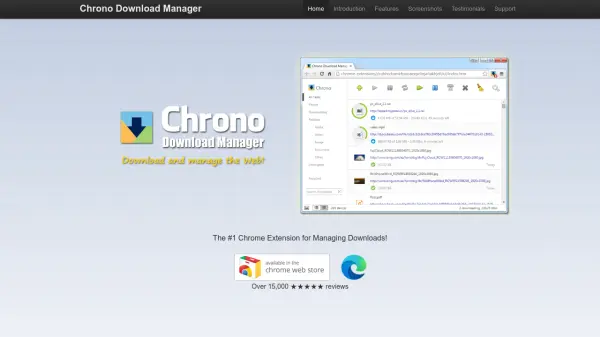
The #1 Chrome Extension for Managing Downloads!

What is Chrono Download Manager?

Chrono Download Manager is a Chrome extension designed to enhance download management directly within the browser. It allows users to capture, queue, and manage downloads efficiently, replacing the need for standalone desktop applications. The tool includes features like customizable filters, smart naming rules, and batch downloading for patterned URLs.

Additionally, Chrono Download Manager offers the Chrono Sniffer, which detects downloadable content such as videos, images, and audio on webpages. Users benefit from desktop notifications and sound alerts to stay informed about download progress, making it a comprehensive solution for organizing and automating downloads.

Features

  • Seamless Integration: Seamlessly takes over downloads within the Google Chrome browser.
  • Content Detection: Detects and downloads videos, images, and audio with Chrono Sniffer on any webpage.
  • Customizable Management: Groups and manages downloads by type, date, and more with customizable filters.
  • Smart Naming: Automatically assigns naming rules and routes files to folders using the Rule System.
  • Batch Downloading: Downloads multiple files using Batch Descriptors for patterned URLs.

Use Cases

  • Managing multiple downloads efficiently within a browser
  • Detecting and downloading videos from webpages
  • Organizing downloaded files by type or date
  • Automating download naming and folder routing
  • Batch downloading files with patterned URLs

Related Tools:

Blogs:

  • Top 6 AI note-taking tools for 2026: in-person, online, and hybrid use cases

    Top 6 AI note-taking tools for 2026: in-person, online, and hybrid use cases

    Most AI note-taking lists are really lists of meeting bots, which join your video call and transcribe it. That's useful, but it's half the picture. Decisions happen in hallway conversations, client dinners, on-site visits, and hybrid rooms where nobody is on a video link. This guide covers different parts of the note-taking workflow: hardware capture for in-person settings, platform-native tools for online calls, and AI layers for organizing and synthesizing what you've captured. It compares six tools by capture context, workflow fit, pricing, and limitations.

  • Best AI Tools For Startups

    Best AI Tools For Startups

    we've compiled a straightforward list of user-friendly AI tools designed to give startups a boost. Discover practical solutions to streamline everyday tasks, enhance productivity, and gain valuable insights without the need for a tech expert. Learn where and how these tools can be applied in your startup journey, from automating repetitive tasks to unlocking powerful data analysis. Join us as we explore the features that make these AI tools accessible and beneficial for startups in various industries. Elevate your business with technology that works for you!

  • Best ai tools for Twitter Growth

    Best ai tools for Twitter Growth

    The best AI tools for Twitter's growth are designed to enhance user engagement, increase followers, and optimize content strategy on the platform. These tools utilize artificial intelligence algorithms to analyze Twitter trends, identify relevant hashtags, suggest optimal posting times, and even curate personalized content.

Didn't find tool you were looking for?

Be as detailed as possible for better results