What is Chronicle?
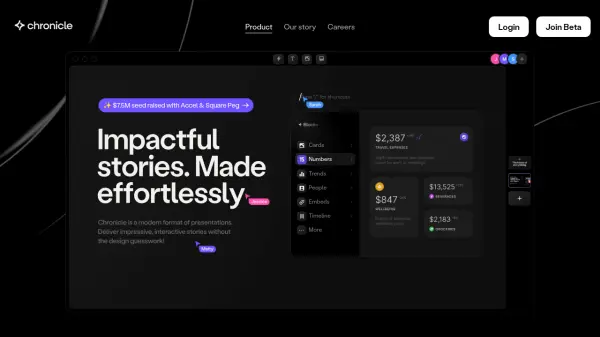
Chronicle offers a contemporary approach to creating presentations, designed for effortless and impactful storytelling. It employs a system called Blocks – pre-designed, interactive elements with built-in motion and pixel-perfect design. Instead of starting from scratch, users select appropriate Blocks from a library, simplifying the creation process significantly.
The platform emphasizes efficient information visualization, enabling users to distill complex data into powerful messages. Blocks are responsive and easily customizable while maintaining a high aesthetic standard. Chronicle facilitates a smooth workflow with features like a keyboard-first experience, the ability to instantly transform content types (e.g., bullets to visuals), and an integrated AI assistant for performing actions and generating content. It also supports real-time team collaboration and offers a mobile-optimized viewing experience.
Features
- Blocks Library: Create presentations using pre-designed, interactive blocks with built-in design and motion.
- Information Visualization: Tools designed to distill complex information and data into clear messages.
- Easy Customization: Responsive blocks that are easy to edit while maintaining visual quality.
- Embedding Capabilities: Seamlessly integrate content from other tools by pasting links.
- Keyboard-First Workflow: Optimized for speed with powerful shortcuts.
- AI Assistant: Integrated AI to insert blocks, perform actions, and enhance productivity.
- Real-Time Collaboration: Work together with team members simultaneously.
- Mobile Experience: Tailored format for viewing presentations on mobile devices.
- Expert Templates: Start presentations with templates designed by industry experts.
Use Cases
- Creating pitch decks for investors.
- Developing presentations for all-hands meetings.
- Compiling investor updates.
- Outlining product roadmaps.
- Presenting research findings.
- Detailing marketing strategies.
- Communicating north star goals.
- Crafting collaborative team presentations.