

What is Chester SW?
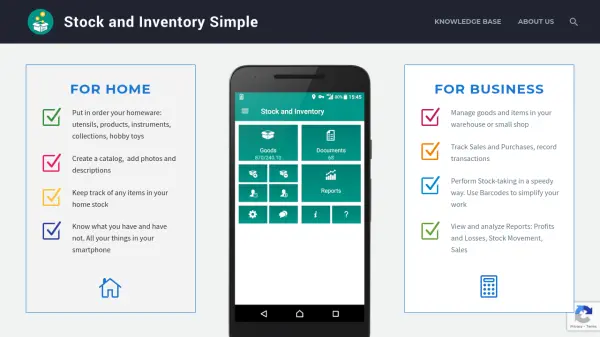
Chester SW is an inventory management solution designed for both home and business use. It enables users to catalog items by taking photos with their phone's camera or adding existing images from their gallery. The tool supports barcode scanning to speed up inventory processes and allows for organizing goods into hierarchical folder structures.
For business applications, Chester SW helps track sales, purchases, and payments while managing expenses like salaries and rentals. Users can export and import data to Excel, print various documents including price lists and invoices, and generate reports for profit analysis and stock movement. The platform offers both list and card views for flexible item display.
Features
- Photos: Take pictures with phone camera or add existing photos from gallery
- Barcodes: Scan barcodes using phone camera or external scanner to speed up work
- Excel Integration: Export and import inventory and documents to/from Excel sheets
- Groups: Organize goods in hierarchical folder structures with categories and subfolders
- Print PDF: Print price lists, catalogs, basic invoices, and labels with customizable templates
- Payments: Record customer payments and supplier payments while tracking debts and profits
- Expenses: Track various expenses including salaries, rentals, delivery costs, and fuel
- Reports: Generate various reports for business analysis with export to Excel capability
Use Cases
- Organizing homeware items like utensils, products, and hobby toys
- Creating catalogs with photos and descriptions for personal collections
- Managing inventory in warehouses or small shops
- Tracking sales and purchases with transaction recording
- Performing stock-taking using barcode scanning
- Analyzing business performance through profit/loss and sales reports
- Keeping track of home stock to know what items are available
- Managing business expenses including salaries and operational costs