What is ChatShape?
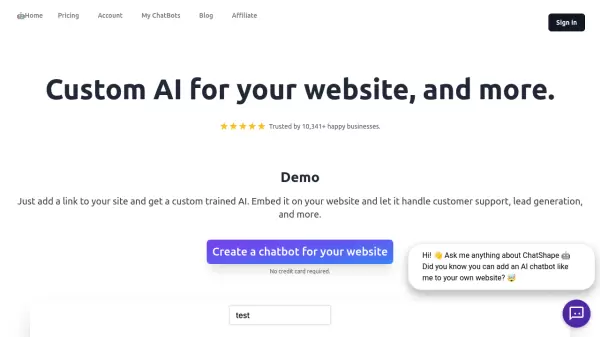
ChatShape revolutionizes customer interaction by allowing businesses to create intelligent chatbots trained specifically on their website content. Through a simple crawling process, the platform automatically extracts and processes website information to generate a customized AI assistant that seamlessly integrates with any website.
The platform offers comprehensive customization options, including branding elements and conversation tone adjustments, while providing robust features such as lead collection, analytics tracking, and multi-source training capabilities. With support for both website crawling and PDF document processing, ChatShape delivers a versatile solution for businesses seeking to automate customer support and enhance visitor engagement.
Features
- 24/7 Customer Support: Instant automated responses to customer queries
- Lead Generation: Automated email collection and lead tracking system
- Customization: Adjustable branding, colors, and conversation tone
- Analytics Dashboard: Comprehensive message tracking and performance metrics
- Multi-source Training: Support for website content and PDF documents
- Export Capability: CSV export for collected leads and conversation data
- Geographic Tracking: Location tracking for lead generation
- Prompt Customization: Adjustable AI instructions and start messages
Use Cases
- Automated customer support
- Lead collection and qualification
- Website visitor engagement
- FAQ automation
- Customer service scaling
- Sales conversion optimization
- Document-based customer assistance
- 24/7 business availability
FAQs
-
What is the maximum number of sources for bot creation?
The maximum number of web sources depends on your subscription plan, with limitations based on the text character count from each source. -
Can I add custom data beyond website scraping?
Yes, you can add custom data through the prompt settings, add additional web pages to sources, or contact for custom data source integration. -
Does the chatbot work with PDF files?
Yes, you can upload multiple PDF files to create a chatbot from your work documents. -
What information is available for collected leads?
The system provides lead information including email, country of origin, and conversation history, which can be exported to CSV.