What is Captions?
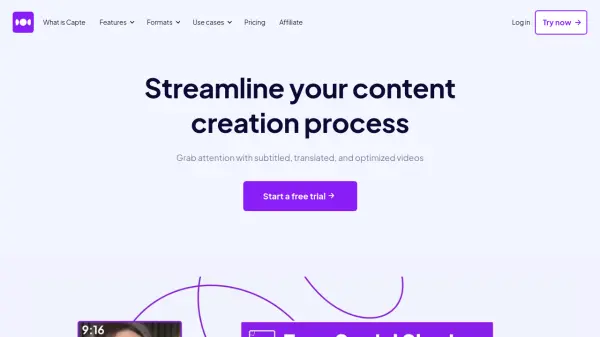
Captions emerges as a powerful AI-powered platform designed to transform the art of video production and storytelling. As a tool trusted by millions, Captions provides an innovative way to overcome creative obstacles and streamline post-production processes. Users can effortlessly compress videos, optimize content for distribution, and correct for eye contact post-recording. Additionally, Captions allows for seamless subtitle addition, language translations across 28 languages, script generation based on prompts, and the creation of fitting background music to elevate the overall video experience.
Further advancing the creative journey, Captions includes a suite of features like AI automations for enhancing speech quality, trimming unnecessary filler words, correcting recorded speech, and even lip dubbing for post-editing content changes. Visual editing is enhanced with AI Director, providing dynamic zoom and transitions, while AI Color Grading and AI Rotoscoping refine the visual aesthetic. Distribution is made easy with auto-generated video metadata, AI dubbing features, and clip extraction for sharing the most impactful moments on social media.
Features
- Compress Videos: Optimize videos for free and simplify distribution.
- AI Eye Contact: Correct eye contact in post-production videos.
- Add Subtitles: Convert audio to subtitles instantly.
- Translate Captions: Translate audio and subtitles into 28 different languages.
- Script Writer: Generate scripts with prompts, videos, or articles.
- AI Music: Create custom background music for videos.
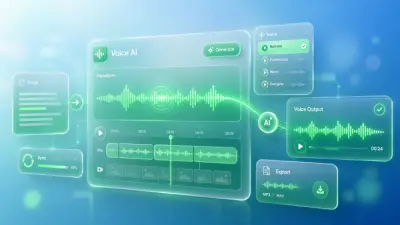
- AI Voiceover & Voice Cloning: Enhance and personalize the audio experience.
- AI Color Grading: Match or create color schemes for videos.
Use Cases
- Video content creation
- Post-production editing
- Language translation for global reach
- Custom scriptwriting for videos
- Enhanced audiovisual storytelling
FAQs
-
What can Captions help with?
Captions can assist in video editing, script generation, language translation, audio enhancement, and visual refinement, offering a comprehensive suite of creative tools. -
How many languages does Captions support for translation?
Captions supports translation into 28 different languages, enabling global reach and audience expansion. -
What AI features does Captions offer for video editing?
Captions provides AI features for color grading, eye contact correction, speech enhancement, background music creation, and dynamic visual editing to enhance the overall video quality. -
Can Captions help in social media content creation?
Yes, Captions offers features like clip extraction, AI dubbing, and auto-generated video metadata to assist in creating impactful content for sharing on social media platforms. -
How does Captions simplify the distribution of videos?
Captions helps users compress videos for easy distribution, add subtitles for accessibility, and streamline the process of sharing content across different platforms.