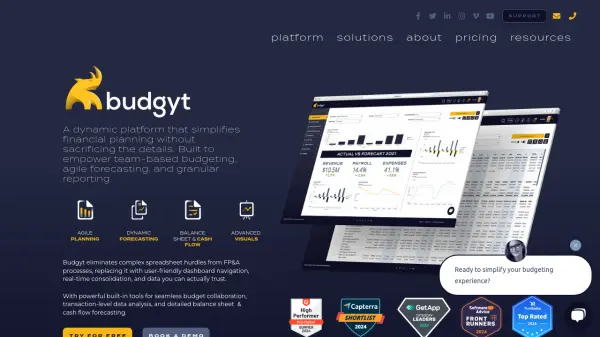
What is Budgyt?
Budgyt offers a modern approach to financial planning by replacing manual spreadsheet budgeting with an intuitive, cloud-based solution designed for collaboration, agility, and visibility. The platform is built to empower organizations to consolidate multi-user, multi-department budgets, automate manual tasks, and gain granular insights into their financial operations through real-time dashboards and customizable reporting tools.
Users benefit from secure user permissions, instant transaction drill-downs, flexible data dimension tagging, and seamless integration with major accounting software via API or template import. With no-code configuration, visual dashboards, unbreakable formulas, and robust onboarding support, Budgyt accelerates onboarding, ensures data integrity, and enhances profitability by enabling strategic, data-driven decision-making for growing organizations.
Features
- Collaborative Budgeting: Multi-user access with customizable permissions and approval workflows.
- Agile Forecasting: Instantly clone and adjust budgets for dynamic scenario planning.
- Real-Time Consolidation: Centralizes data aggregation across multiple departments and users.
- Advanced Visualization: Custom dashboards and pre-built templates for data analysis and presentation.
- Secure Data Management: Permission-based access, activity logs, and error-proof formulas.
- API & Template Integrations: Connects with leading accounting platforms like QuickBooks and Xero.
- Multi-Currency Support: Handles input and automatic conversion for cross-border budgeting.
- HR & Payroll Module: Manage and allocate payroll and HR-related formulas organization-wide.
- No-Code Interface: Visual, drag-and-drop tools for budget preparation and customization.
- Comprehensive Support: Dedicated onboarding, knowledge base, and multi-channel assistance.
Use Cases
- Departmental and company-wide financial budgeting and planning.
- Real-time collaborative forecasting and scenario modeling.
- Automated report generation for board presentations and management review.
- Multi-entity or multi-department budget consolidation.
- Permission-controlled budgeting for varied organizational roles.
- Seamless integration and data syncing with accounting software.
- Nonprofit budgeting with custom structures and discounted pricing.
- Transition from manual Excel-based budgets to automated solutions.
- Efficient management of HR and payroll expense planning.
FAQs
-
How long does it take to set up Budgyt?
Budgyt offers a quick onboarding process, often setting up trial sites within 24 hours and supporting full implementation within two weeks after receiving necessary files. -
Is Budgyt compatible with QuickBooks and Xero?
Yes, Budgyt integrates via API with QuickBooks Online and Xero, allowing for efficient data import and mapping from these platforms. -
Does Budgyt require software installation?
No installation is necessary; Budgyt is a cloud-based platform hosted on Amazon Web Services and accessed through a web browser. -
What type of support does Budgyt provide?
Budgyt provides onboarding assistance, email, chat, and phone support, a dedicated success manager, and a comprehensive knowledge base with articles and training videos. -
Can Budgyt handle multi-currency budgets?
Budgyt supports multi-currency budgeting, allowing users to input and automatically convert data across different currencies.