What is BrowserAI?
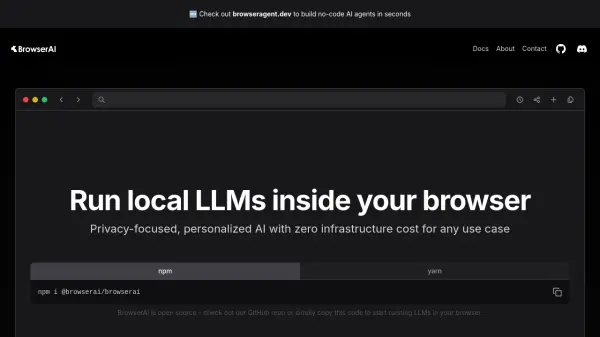
BrowserAI is an open-source JavaScript library designed for running Large Language Models (LLMs) directly within the end-user's web browser. By utilizing WebAssembly and WebGPU technologies, it allows for efficient execution of increasingly sophisticated small language models client-side. This approach eliminates the need for server-side processing for certain AI tasks.
The primary benefits of using BrowserAI include enhanced privacy and reduced operational expenses. Since all processing occurs locally on the user's device, no sensitive data is transmitted or exposed to third parties, ensuring 100% privacy. Furthermore, it eliminates API fees and the costs associated with cloud infrastructure. Integration is streamlined, requiring only a few lines of code without the complexity of managing servers, API keys, or rate limits.
Features
- Local LLM Execution: Runs Large Language Models directly in the browser via WebAssembly and WebGPU.
- Zero Operational Cost: Eliminates API fees and cloud infrastructure expenses.
- 100% Privacy: Ensures local processing with no data exposed to third parties.
- Effortless Integration: Simple setup with a few lines of code, no servers or API keys needed.
- Open Source: Available on GitHub for transparency and community contributions.
Use Cases
- Developing privacy-centric AI applications.
- Integrating AI features without backend infrastructure costs.
- Creating personalized AI experiences running locally on user devices.
- Building applications requiring offline AI capabilities.
- Experimenting with small language models in browser environments.
FAQs
-
How does BrowserAI ensure privacy?
It processes data locally in the user's browser using WebAssembly and WebGPU, ensuring no data is exposed to third parties. -
What technologies does BrowserAI use?
It leverages WebAssembly and WebGPU to run language models efficiently directly in the web browser. -
Is BrowserAI free to use?
Yes, BrowserAI is presented as an open-source library with zero operational costs, eliminating API fees and cloud infrastructure expenses. -
How is BrowserAI integrated into a project?
Integration involves installing the library via npm or yarn, importing it into your code, loading a desired model, and then using its methods to generate text.