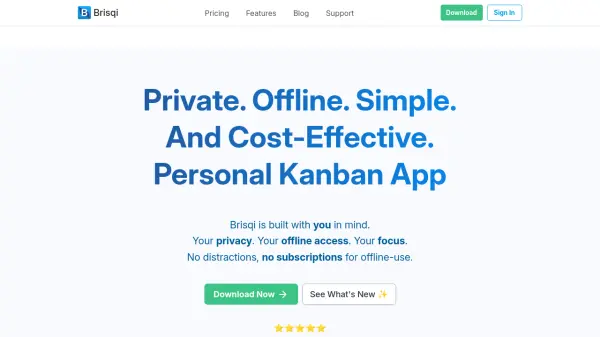
What is Brisqi?
Brisqi delivers a streamlined Kanban experience tailored for individuals and small teams seeking unmatched privacy, offline access, and a clean, intuitive interface for task management. The platform prioritizes data ownership, operating without analytics or monitoring, making it especially suitable for environments with stringent IT or privacy requirements. Users can organize tasks with customizable boards, group workflows, utilize visually distinct labels, and maintain focus with features like List Focus Mode and color-coded task indicators.
The application excels in versatility by enabling offline productivity, allowing task organization and access regardless of internet connectivity. Its one-time payment and transparent pricing assure long-term cost-effectiveness. Brisqi supports markdown for rich task descriptions, powerful search and filter options, and facilitates data management through backup, export, and archiving capabilities. Personalization features such as custom backgrounds and colored cards further enhance the user experience, offering a minimalist yet powerful solution for managing work and personal projects securely.
Features
- Offline Access: Manage all tasks and boards entirely offline, supporting uninterrupted productivity without relying on internet connectivity.
- Privacy Focus: No analytics, monitoring, or behavioral tracking to ensure complete data control and confidentiality.
- Board Grouping: Organize projects and workflows by grouping boards for different areas of life or work.
- Customizable Labels and Colors: Assign labels, priorities, and custom colors to task cards for better categorization and visual organization.
- List Focus Mode: Dim other lists to concentrate on a single workflow, reducing distractions.
- Upcoming Tasks Panel: Visualize all upcoming deadlines and task urgencies at a glance.
- Markdown Support: Use markdown to format task descriptions, making notes clear and structured.
- Robust Search and Filtering: Quickly find and prioritize tasks with advanced search and label/due date filters.
- CSV Export and Backups: Export boards to CSV and back up boards to custom locations for easy recovery.
- One-Time Payment Plans: Transparent pricing with affordable, one-time fees to enable long-term ownership.
Use Cases
- Managing personal to-do lists and productivity routines without internet dependence.
- Organizing academic assignments, writing projects, or research workflows with complete data privacy.
- Tracking project timelines, milestones, and deadlines in high-security environments.
- Enabling professionals in corporate or restricted IT settings to manage tasks securely and offline.
- Freelancers and small business owners maintaining simple, yet robust, Kanban boards for client work.
- Preparing and printing project cards or lists for physical meetings or review sessions.
- Customizing task boards for creative planning, design inspiration, or personal goals.
FAQs
-
Can I use Brisqi for free?
Yes, Brisqi offers a free tier allowing users to manage up to 2 boards with essential features before choosing to upgrade to a paid plan. -
Is cloud syncing available in all Brisqi plans?
No, cloud syncing is only available in the Standard plan. Other plans are designed strictly for offline use to maintain privacy and security. -
How does Brisqi handle software updates with paid plans?
Paid plans include one year of updates from the activation date, and users can access updates released within this period even if not installed immediately. -
Does Brisqi support markdown formatting in tasks?
Yes, Brisqi allows users to enhance task descriptions and notes using markdown formatting for clarity and organization. -
Can I deactivate and transfer my Brisqi license to another device?
Yes, users can deactivate their license on one computer and reactivate it on another as needed.