What is Blinkplan?
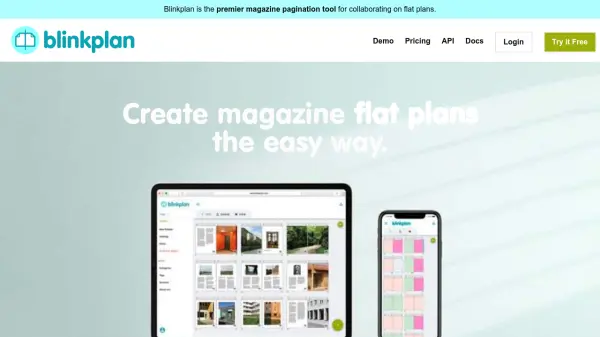
Blinkplan is a sophisticated magazine pagination tool designed to streamline the creation and management of flat plans for publishing teams. It provides an intuitive online platform where users can easily edit and rearrange pages, collaborate with team members in real-time, and share flat plans through various export options. The tool eliminates traditional frustrations associated with manual pagination by offering intelligent features that automate tedious tasks and enhance workflow efficiency.
With capabilities like color-coded content categorization, automatic page type counting, and real-time collaboration, Blinkplan helps teams maintain accurate pagination while working together seamlessly. The platform supports multiple drag-and-drop modes, page commenting with notifications, thumbnail uploads, and workflow tagging systems to keep production organized. Users can export flat plans as PDFs or share view-only links without requiring logins, making it accessible for both internal teams and external stakeholders.
Features
- Real-time Collaboration: Multiple team members can work on the same flat plan simultaneously with live updates visible to all users
- Drag-and-Drop Pagination: Two modes (move and swap) for easily rearranging pages with multi-page selection capabilities
- Color-coded Categories: Visual organization system with different colors for content types like ads, editorial, and promotions
- Automatic Content Tracking: Calculates totals for each content type as page counts, fractions, or percentages to prevent errors
- Multiple Sharing Options: Export flat plans as PDFs in portrait or landscape mode, or share view-only links without requiring logins
Use Cases
- Collaborative magazine flat plan creation for publishing teams
- Remote team coordination on magazine pagination projects
- Visual layout planning for print publications with multiple content types
- Workflow management for magazine production with tagging systems
- Client presentations of magazine layouts through shareable view-only links
FAQs
-
How does the free trial work?
Blinkplan offers a 15-day free trial with no credit card required, allowing users to test all features before deciding on a paid plan. -
Can multiple team members collaborate simultaneously?
Yes, multiple team members can work on the same flat plan in real-time with live updates visible to all collaborators. -
What happens when the trial period ends?
After the trial, users can choose to upgrade to a paid plan or cancel without any charges, as no credit card is required upfront. -
How are flat plans shared with external stakeholders?
Flat plans can be shared via view-only links that don't require login credentials, or exported as PDF documents for easy distribution. -
Can I customize the trial period if needed?
Yes, users can request extended trial periods by contacting customer support, who are happy to accommodate such requests.