What is Bingewatch?
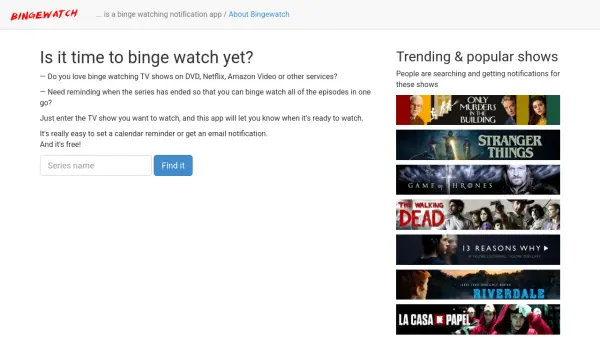
Bingewatch is a specialized notification application designed for television enthusiasts who prefer to watch entire series in one sitting. The app monitors popular streaming services and media formats to determine when a TV show has concluded its season or series run. Users simply enter the title of any television program they wish to watch, and Bingewatch automatically tracks its availability for binge-watching.
The platform provides convenient notification options including calendar reminders and email alerts when shows become ready for viewing. This eliminates the need for manual tracking and ensures viewers never miss the optimal time to start their binge-watching sessions. The service supports content from multiple sources including DVD releases and major streaming platforms.
Features
- Show Tracking: Monitors TV series across multiple platforms including Netflix, Amazon Video, and DVD releases
- Notification System: Sends alerts via calendar reminders and email when shows are complete and ready for binge-watching
- Easy Setup: Simple interface where users just enter show titles to begin tracking
- Trending Shows: Displays popular series that other users are tracking and getting notifications for
Use Cases
- Getting notified when favorite TV series have completed their seasons for optimal binge-watching
- Tracking multiple shows across different streaming platforms simultaneously
- Setting up automatic reminders for DVD release dates of complete series
- Discovering trending shows that are popular for binge-watching among other users
FAQs
-
What streaming platforms does Bingewatch support?
Bingewatch supports multiple platforms including Netflix, Amazon Video, DVD releases, and other services where TV series are available for binge-watching. -
How do I get notifications from Bingewatch?
You can receive notifications through calendar reminders or email alerts when the TV shows you're tracking become complete and ready for binge-watching. -
Is there a cost to use Bingewatch?
No, Bingewatch is completely free to use for tracking shows and receiving notifications. -
Can I track multiple shows at once?
Yes, you can enter and track multiple TV show titles simultaneously to receive notifications for each when they become ready for binge-watching. -
How does Bingewatch know when a show is complete?
The app monitors TV series across supported platforms to determine when seasons or entire series have concluded and are available for viewing in their entirety.