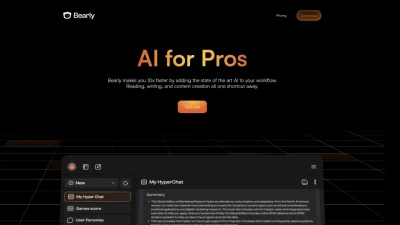

What is Bearly?
Bearly is a productivity-focused AI tool designed to empower professionals across various industries. It offers a range of features to streamline work processes. Users can interact with documents, analyze content, and ask questions across any type of document. Bearly's capabilities extend to transcribing audio and video, and converting podcasts, YouTube videos, and meeting recordings into accessible transcripts.
Real-time web access simplifies file management and information retrieval, allowing users to continue conversations seamlessly. Additionally, Bearly can generate meeting minutes and identify key takeaways, leveraging Stability AI and Dall-e. The platform offers flexibility by providing access to AI models from multiple providers, including Open AI and Claude.
Users can choose the AI model that best suits their needs. Bearly also includes features like document embedding, a prompt marketplace, and secure AI chat capabilities. It is designed with security in mind, ensuring data protection and privacy for users.
Features
- Interact with any document
- Transcribe audio and video content
- Real-time web access
- Generate Meeting Minutes and Identify Key Takeaways
- Access to a variety of AI models
- Document embedding
- Prompt Marketplace
- Secure AI chat with zero logging
- User-owned encryption keys for chat and document security
Use Cases
- Enhanced productivity in reading, writing, and content creation
- Efficient document analysis and question-answering
- Transcription of audio and video content
- Simplified file management and data retrieval
- Meeting minutes and key takeaways generation
- Customizable AI model selection
FAQs
-
What types of files can Bearly interact with?
Bearly can interact with various document formats including text, audio, and video. This allows you to analyze content, ask questions, and transcribe information from podcasts, YouTube videos, meeting recordings and more. -
Can I use Bearly with different AI models?
Yes, Bearly provides flexibility by offering access to AI models from multiple providers, such as Open AI and Claude. You can choose the model that best suits your specific needs and preferences. -
How does Bearly ensure data security and privacy?
Bearly prioritizes data protection and privacy. It offers secure AI chat capabilities with zero logging and allows users to control their data with user-owned encryption keys for chat and document security. -
How can Bearly help with meetings?
Bearly can transcribe meeting recordings, generate meeting minutes, and identify key takeaways, saving you time and effort in summarizing and analyzing meeting content. -
What is the prompt marketplace offered by Bearly?
The prompt marketplace likely provides a collection of pre-designed prompts or workflows that users can leverage to achieve specific tasks or interact with the AI models more effectively.