

What is Beanconqueror?
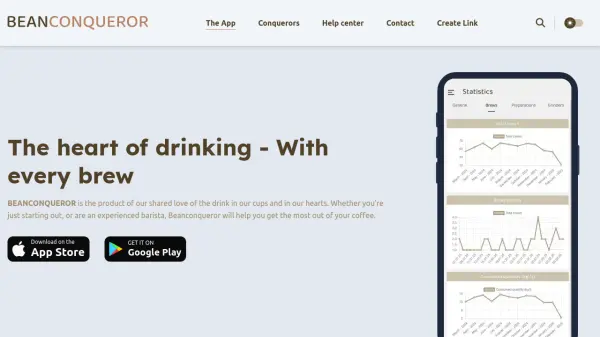
Beanconqueror is a comprehensive coffee brewing companion application designed for enthusiasts who want to optimize their brewing process. The app provides tools to track coffee beans, manage roasting details, and customize over 30 brewing parameters including grind size, brew time, and water amount. It supports multiple brewing methods such as V60, Aeropress, and Espresso, with customizable parameters for each technique.
The application integrates with various Bluetooth-enabled smart devices including scales, pressure devices, and refractometers for real-time tracking during brewing. It offers a dedicated water section where users can input water quality parameters to enhance brew quality, along with statistics and insights into coffee consumption and spending. Beanconqueror operates entirely offline with data stored locally on the user's device, ensuring privacy and security while providing automatic backups.
Features
- Comprehensive Coffee Companion: Provides tools to optimize brewing and track coffee beans with detailed parameter customization
- Multiple Brewing Methods: Supports various preparation techniques including V60, Aeropress, and Espresso with customizable parameters
- Bean Tracking: Allows scanning or importing detailed information about roasted coffee to monitor bean inventory
- Integration with Smart Devices: Compatible with various Bluetooth scales, pressure devices, and refractometers for real-time tracking
- Open Source and Free: Community-driven application that is completely free to use without ads or paywalls
- Statistics and Insights: Provides detailed analytics on coffee consumption and spending patterns
- Customizable Brew Parameters: Record and adjust over 30 brewing parameters for precision control
- Roast Management: Track roasting details for green beans to ensure consistency across batches
Use Cases
- Tracking and optimizing espresso brewing parameters
- Monitoring coffee bean inventory and consumption patterns
- Analyzing brewing statistics to improve technique
- Integrating smart scales for real-time brew monitoring
- Managing water quality parameters for better extraction
- Documenting roast profiles for green coffee beans
- Creating repeatable brew recipes for different methods
- Comparing brewing results across different equipment
FAQs
-
How does Beanconqueror handle data synchronization between devices?
Beanconqueror does not currently support data synchronization between devices as all data is stored locally on each device. The app operates entirely offline, and implementing user login with synchronization would require significant development and infrastructure costs. -
What should I do if I experience data loss in Beanconqueror?
If you experience data loss, do not uninstall the application. Contact the developers directly at [email protected]. The app performs regular automatic backups that retain data from the past seven days, and in most cases, you can import a backup to restore your data. -
How can I request new preparation methods or icons for the app?
To request new preparation methods or icons, create a GitHub ticket at https://github.com/graphefruit/Beanconqueror/issues. The development team reviews community requests for new features and improvements. -
What platforms is Beanconqueror available on?
Beanconqueror is available for both Android and iOS devices. Android users can download it from the Google Play Store or from the release page, while iOS users can get it from the App Store. -
How can users support the development of Beanconqueror?
Users can support Beanconqueror through financial contributions on platforms like Ko-fi, code contributions on GitHub, or by helping with translations. The app is completely free with no ads, so support helps cover running costs and development expenses.