What is Barter.vg?
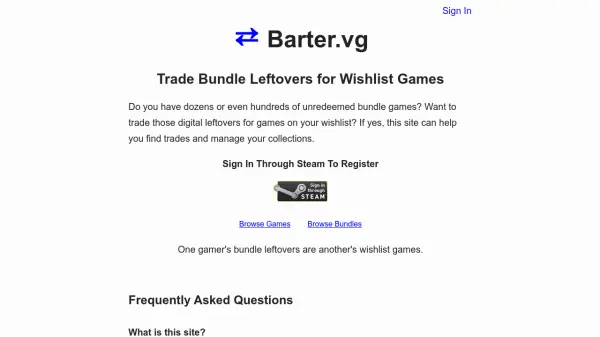
Barter.vg is a specialized platform designed for gamers to exchange digital game keys from bundle leftovers for titles on their wishlists. It connects users by tracking their game libraries, wishlists, and tradables from various stores like Steam, GOG, and others. The site facilitates trades by showing users who have games they want and who have wishlisted their tradable games, creating a community-driven marketplace for game swapping.
Users sign in through Steam using OpenID to automatically sync their public Steam wishlist and library, with options for manual game additions. The platform supports multiple gaming platforms and provides tools to manage collections and find potential trades efficiently. It emphasizes community trading over monetary transactions, focusing on bundled games as the primary means of exchange.
Features
- Game Library Tracking: Automatically syncs Steam wishlist and library for public profiles
- Multi-Platform Support: Includes GOG, Uplay, Origin, PlayStation, Nintendo, and other platforms
- Trade Matching: Finds users with desired games who have wishlisted your tradables
- Community-Driven: Operates as a bazaar-style platform for game swapping without monetary focus
- Data Management: Allows editing and removal of game collections with dispute resolution options
Use Cases
- Trading unredeemed bundle games for wishlist titles
- Managing digital game collections across multiple platforms
- Finding trading partners based on mutual game interests
- Swapping game keys without monetary transactions
- Connecting with other gamers for community-driven exchanges