What is Anvil?
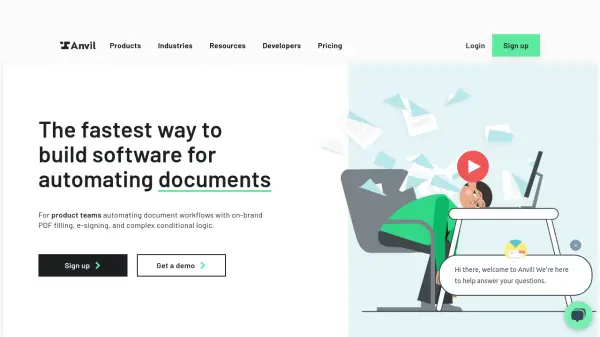
Anvil provides a platform to automate and simplify document workflows for product teams. It enables the creation of mobile-friendly webforms from PDFs, PDF filling and generation, and embedding of white-labeled e-signatures within applications.
The platform offers a comprehensive Document SDK, including tools powered by AI, for faster development, and integrates with existing systems via a robust API and integrations like Zapier. Anvil ensures secure and compliant document handling with features such as PKI digital certificates and encryption with 2048 RSA private keys.
Features
- Document AI: Generate categorized Webforms from PDFs in seconds.
- Webforms: Collect data with mobile-friendly, customizable forms.
- PDF Services: Fill existing PDFs or generate new PDFs from HTML with API calls.
- Etch E-sign: Embed white-labeled e-signatures with advanced CSS styling.
- Workflows: Automate complex document processes with conditional logic.
- API Integration: Seamlessly integrate with existing systems using a comprehensive API (GraphQL and REST) or integrations like Zapier.
Use Cases
- Automating insurance quote and binding processes
- Streamlining employee onboarding documentation
- Securing workflows for real estate transactions
- Launching HIPAA-compliant document workflows in healthcare
- Automating document processes for financial products
FAQs
-
How does Anvil pricing work?
Anvil pricing is usage-based. There is also a platform fee, which varies based on features needed. -
What counts as a submission?
Each time a Workflow is started, it generates a unique URL. That unique URL represents a submission. A completed submission occurs when all of the data is submitted and the completed PDFs are generated. Only completed submissions generated with a production API key, or from the UI will be counted towards usage. -
What counts as a signature?
A signature is when all parties that need to sign a signature packet have completed signing. A signature packet could have one or more signers and 1 or more PDFs. Signatures only count towards your usage when the entire packet has been signed and fully executed. -
What if my Workflow includes a signature?
A Workflow that includes a signature will count towards both the Workflow and the signature usages. Usage is counted upon completion of each discrete step. Once all data has been submitted on a Workflow, a billable submission is counted towards your usage. Then after all signers have signed the associated signature packet, a billable signature is counted towards your usage.